Staying in touch
The bell
Seven things can put a row in the bell. It is the one notification channel that is a contract rather than a nudge — every one of those rows is written, and cannot be turned off.
At a glance
Email and push are best-effort: they are fired after the work is done, they swallow their own failures, and a member can switch them off. The bell is neither. Its row is written in the same database transaction as the thing it announces, so the two land together or not at all — and there is no switch for it anywhere in the app.
- Seven kinds of row, listed below. Five of them also send an email, two of those also send a push, and two send nothing else at all.
- Two halves. Join requests waiting on you are pinned at the top and never fall off. Everything else is news, newest first, thirty rows deep.
- Opening the sheet is the whole gesture. It marks everything read; there is nothing finer to tap.
- Only likes collapse. Every member who reacted to one proof is one row, counted. A comment is always its own row.
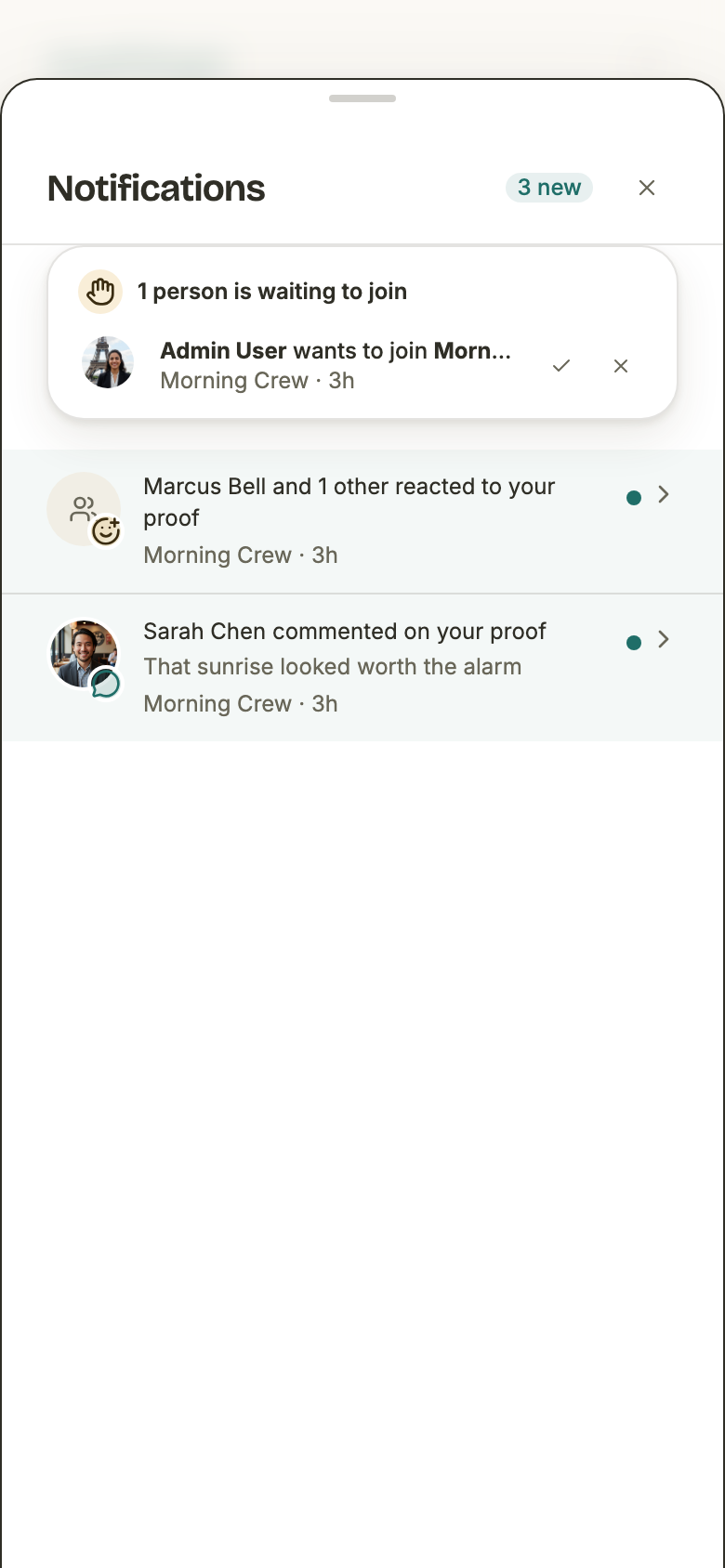
The seven rows
Every row is derived when the bell is read, never stored: the sentence, the face, the mark on the corner, and where tapping it goes. That is why an old row still opens the right page after the app has moved one — nothing in the bell is a saved link.
1. Someone wants to join your group
The only row that asks a question. It carries the two buttons that answer it, so an admin never has to find the group first — and it is the one kind that changes its own sentence once it has been answered, from a request into a record of what was decided.
- Goes to
- Every current admin of the group, one row each.
- It says
- “Priya Patel wants to join Morning Crew”, with her face beside it.
- Once answered
- “Priya Patel joined Morning Crew”, or “Declined Priya Patel’s request to join Morning Crew”. The face stays; the mark on it changes.
- Tapping it opens
- The group.
- Also sends
- An email to the same admins. No push.
2. You’re in
The answer coming back to whoever asked. It names the admin who let them in, and drops the name rather than the row if that admin has since deleted their account — the fact still stands without them.
- Goes to
- The person who requested to join.
- It says
- “Joe George approved you — you’re in Morning Crew!”, or just “You’re in Morning Crew!” when the admin’s account is gone.
- Tapping it opens
- The group — which they are now a member of, because the membership is written before the row is.
- Also sends
- An email to the same member. No push.
3. Your request was declined
The unhappy answer sends too, deliberately — a request that is silently never answered is indistinguishable from one that was refused. It names no admin: the group decided, and pointing the disappointment at one member is a fight nobody asked for.
- Goes to
- The person who requested to join.
- It says
- “Your request to join Morning Crew was declined”. No face, no name.
- Tapping it opens
- The group — which a declined requester is not a member of, so the page answers with a permission error. The email twin deliberately links to the dashboard instead.
- Also sends
- An email to the same member. No push.
4. You were tagged in a proof
A tag is a mention: there is nothing to accept or decline, so it is news like a comment rather than something waiting on you. It is also the one route into a proof that passes no feed — a tagged member arrives at the page without ever being offered the card — which is why it is the one kind the bell checks before showing.
- Goes to
- Each member named on the proof.
- It says
- “Sarah Chen tagged you in a proof”, with her face.
- Tapping it opens
- The proof — which is also where the tag can be taken back off.
- Held back while
- The proof is not yet something you may be handed — a clip still encoding. It is withheld from the list, from the badge, and from being marked read, so it arrives unread when it is ready.
- Also sends
- An email and a push to the same member.
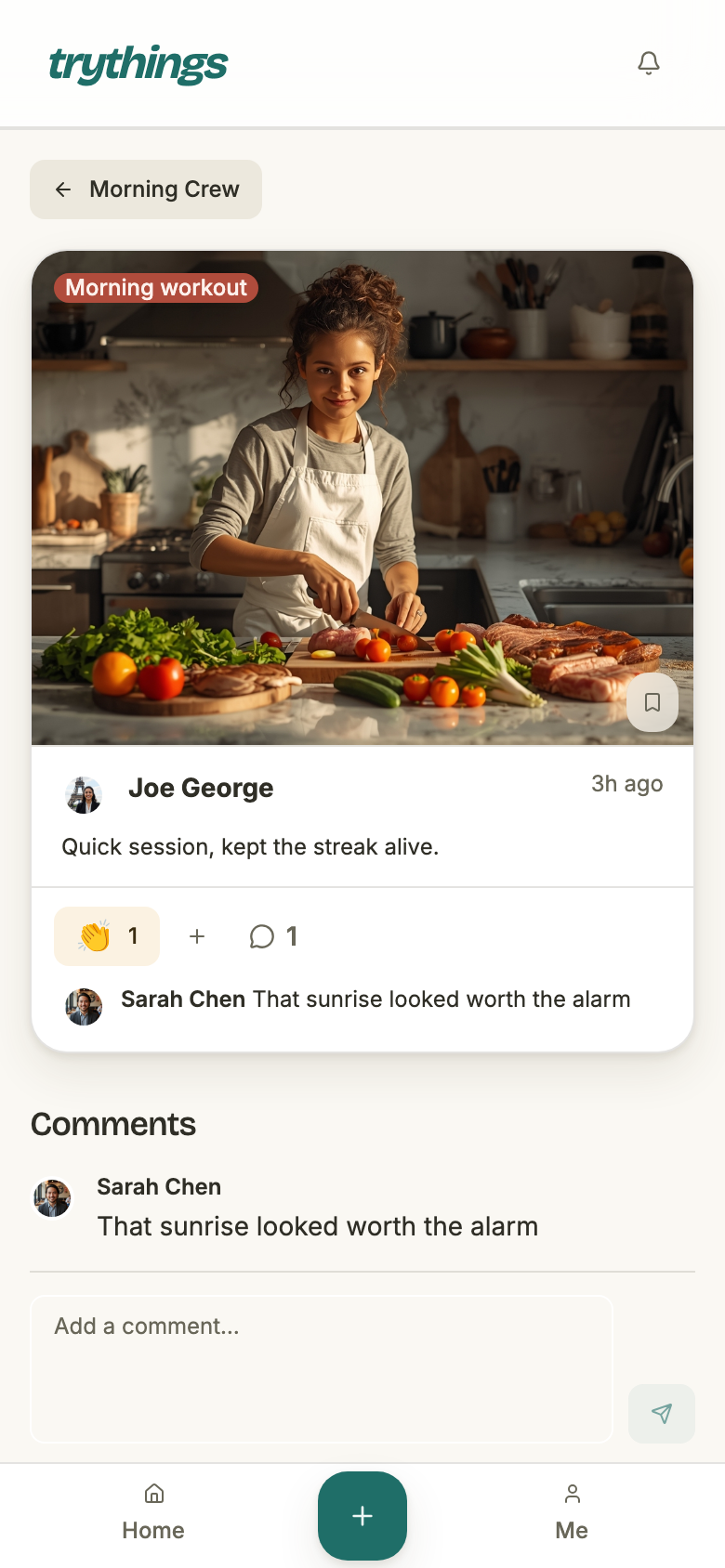
5. Someone commented on your proof
The only row with a second line: the opening of what was actually written. It is cut to 140 characters on the server rather than in the sheet, so a page of thirty rows never carries thirty full comments — and it is counted in characters as a reader sees them, so an emoji landing on the boundary is not split in half.
- Goes to
- The proof’s original author plus every member who accepted a tag on it and still stands in the group — minus whoever wrote the comment.
- It says
- “Sarah Chen commented on your proof”, with the first 140 characters of the comment under it.
- How many
- One row per comment. A second comment is a second row, because the text is the point.
- Tapping it opens
- The proof, with the thread under it.
- Also sends
- An email and a push to the same members, each throttled to one per proof per day.
6. Someone reacted to your proof
The only kind that collapses, and the first of the two that reach nobody's inbox. A like is worth knowing about and worth nobody's phone buzzing for.
- Goes to
- The same members a comment reaches — minus whoever reacted.
- It says
- “Marcus Bell reacted to your proof”, or “Marcus Bell and 2 others reacted to your proof”. Newest reactor named, the rest counted.
- How many
- One row per proof, however many members reacted. One row per member, however many emoji they hold.
- Tapping it opens
- The proof, where the pills show who chose what.
- Also sends
- Nothing. Bell only.
7. A group was archived
News about the group rather than about a person, and the other bell-only kind. Every push the app sends is either someone waiting on an answer or a deadline landing; shelving a group is neither. Nothing is frozen, nothing is deleted, and nothing is being asked of the reader.
- Goes to
- Every member of the group except the admin who archived it — the one person who already knows.
- It says
- “Joe George archived Morning Crew”, or “Morning Crew was archived” when that admin’s account is gone.
- Tapping it opens
- The group.
- Again?
- Un-archiving says nothing. Archiving a second time notifies again — it is a second event.
- Also sends
- Nothing. Bell only.
Two halves
The bell is read as two separate lists and shown as two:
- Waiting on you — join requests still pending, pinned above the feed and never capped. They are read from the live status of the request rather than from the row, so answering one anywhere else in the app takes it out of this half at once.
- News — everything else, newest first, the most recent thirty.
Fetching them separately is what stops a join request from being pushed off the bell by the likes that arrived after it. Read as one list, a group could sit waiting on an approval nobody could see. And because the thirty counts collapsed rows, one popular proof cannot crowd the page out either.
Read, unread, and the badge
The number over the bell counts rows, not notifications: the unread ones of exactly the page the sheet will show. Every pending join request counts once, however many likes arrived after it, and a proof counts once while any like on it is still unread.
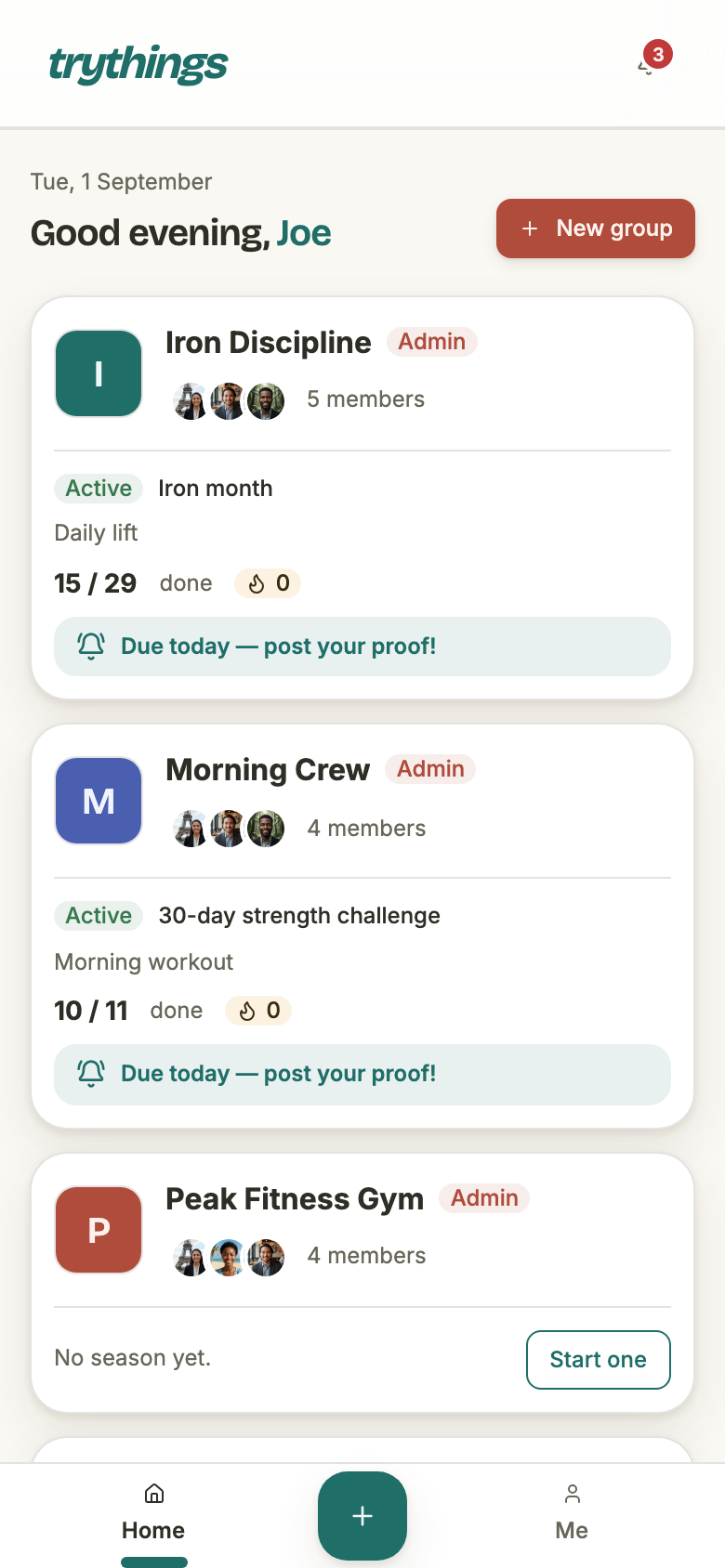
- Opening the sheet marks everything read. There is no per-row tap, no swipe, and no way to mark one back unread. The gesture is opening the bell, so that is what is stamped.
- What was new stays highlighted while you look at it. The set of unread rows is only ever refreshed while the sheet is shut, so rows do not go plain under your eyes as you read them. Close it and open it again and they are ordinary.
- Marking read reaches further than the page does. The list shows thirty rows of news; marking read stamps every unread row the bell was willing to show you, page or no page. A row that has already fallen past the thirty is stamped with the rest, and it is not coming back.
- A collapsed row comes back. Any unread like inside it keeps the whole row unread, so a new like on a proof you have already looked at lifts it back to the top and badges it again.
- A withheld tag is not stamped. You cannot dismiss what you were not shown, so a tag held back while its clip encodes stays unread and arrives properly when it lands.
The timestamp on each row is coarse on purpose — now, 5m, 3h, 2d, 1w — and it is read against the moment the sheet opened rather than a live clock. Nothing in a bell needs to tick, and one reading keeps every row consistent with every other.
Collapsing likes
Five members liking one proof is one row, not five. Two rules make that read the way it looks:
- One row per proof. The newest reactor is named and the rest are counted: “Marcus Bell and 2 others reacted to your proof”. Shared proofs count as one — the feed shows one card for an author's proof and the copies of it, so the bell shows one row.
- One notification per member, not per emoji. Only a member's first emoji on a proof writes anything, so nobody can ring the same bell five times by holding five pills.
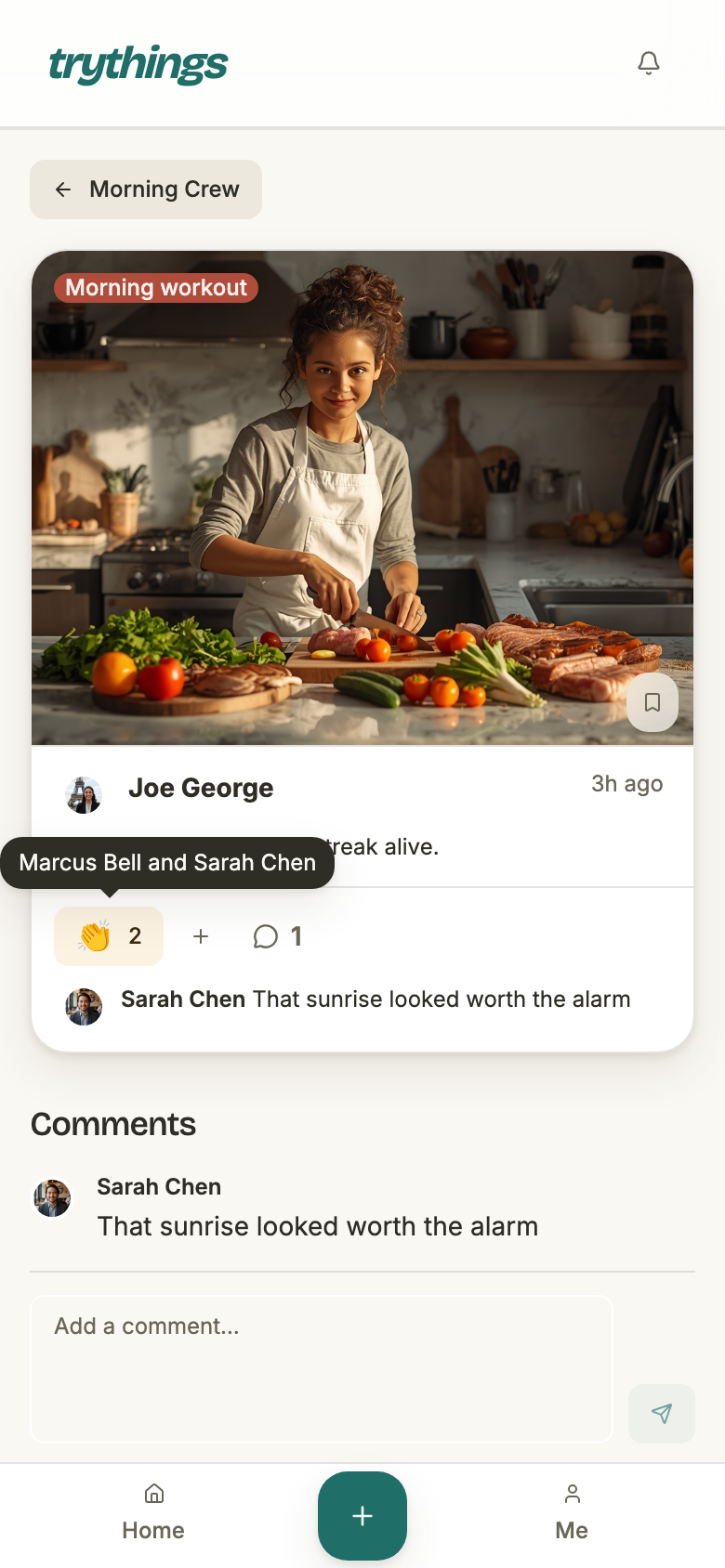
Collapsing happens when the bell is read, not when a like is written: the table keeps one row per like. That is what makes taking a like back free — the row is deleted and the count simply shrinks, with no stored tally to correct and no way for the two to drift apart.
Nothing else collapses. Two comments on the same proof are two rows, because what was written is the point of the row and a count would throw it away.
Why the bell is inside the transaction
A comment is written and its bell rows are written in the same transaction. So are a like and its rows, a tag and its rows, a join request and the admins' rows, a decision and the requester's row, and the archive stamp and the whole group's rows. Either both land or neither does.
Email and push are the opposite, deliberately. They are fired after that transaction commits, they swallow their own failures, and nothing waits on them. The reason the two are treated differently is that they are answering different questions:
- The bell is the record. It is the app's own answer to “what happened while I was away”, and a record with holes in it is worse than no record. If the bell row could fail on its own, a member could be commented on and never told — with nothing anywhere to say so.
- Email and push are nudges on top of it. They exist to reach someone who is not in the app. A mail provider being down must never cost a member the comment they wrote, so those sends cannot be inside the transaction that writes it.
- Nobody can mute the bell. Email has a switch in Profile and push has the phone's own. The bell has neither — which only works because its rows are guaranteed to be there.
Rows that go away
The bell holds no history of its own. A row is a pointer at something that happened, and it goes when that thing does:
- Untagging removes the row that announced the tag.
- Taking back your last emoji on a proof removes your like from every recipient's bell, and the collapsed count shrinks.
- Deleting a proof takes its tag, comment and like rows with it — the bell must never point at something that is no longer there.
- Leaving a group clears your rows for that group. The tags on other people's proofs stay — the card still names who was there, and leaving does not unsay it.
- Deleting a group clears every row for it, for everyone.
None of this is announced. A tag quietly removed leaves no record and no second notification, which is the point: a mention is a small social act, and turning its removal into an event is what stops people making it.
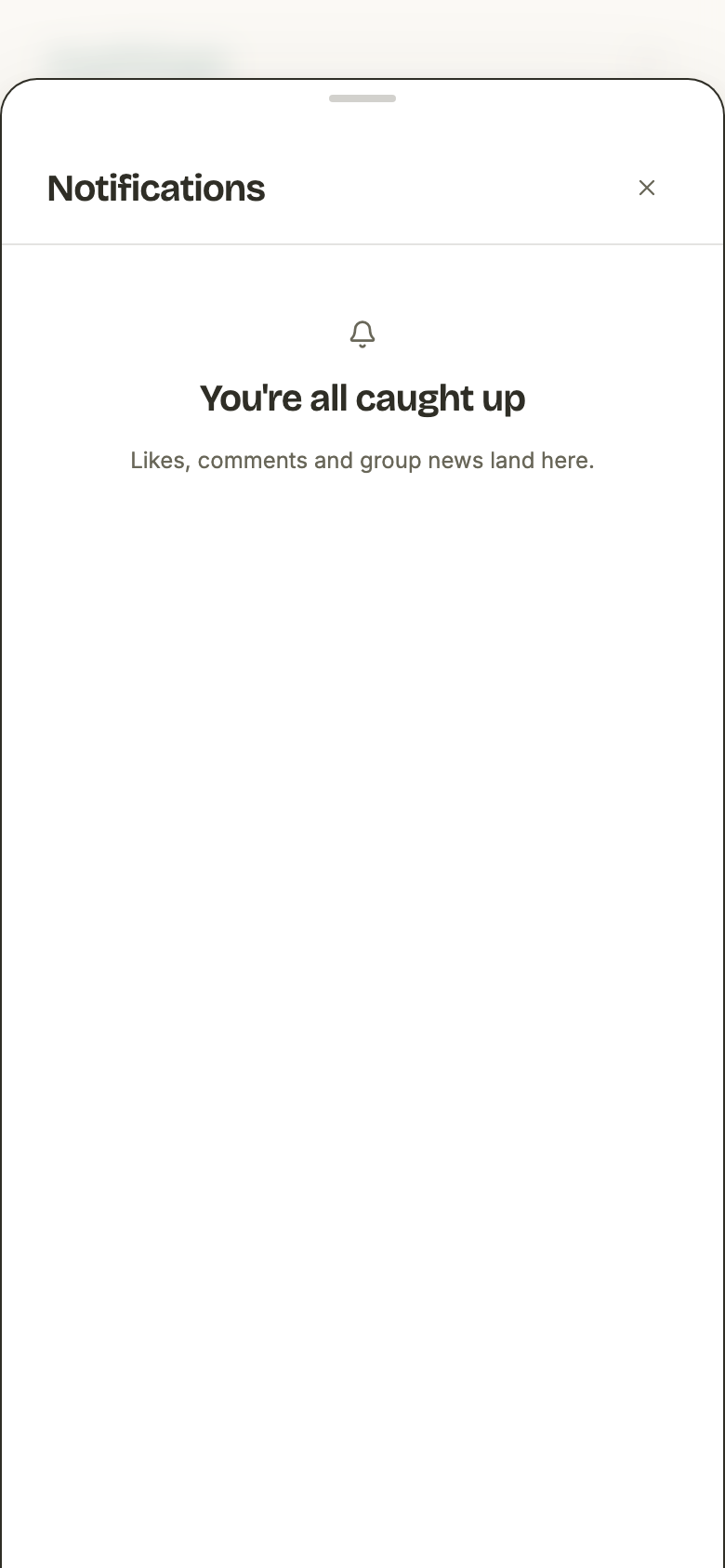
What the bell does not do
- It does not paginate. One page: every pending join request, plus thirty rows of news. There is nothing to scroll to.
- It has no per-row read state you can drive. Rows are stamped read together, or not at all.
- It has no settings. No per-type switches, no mute, no digest. Those live on the email and push channels, which is where a member who wants less can go.
- It does not carry the content. A comment row shows the opening of the comment and nothing more; everything else is paid off on the page the row opens.