Groups & seasons
Seasons
A season is a time-boxed run a group takes together. Before it starts, everything about your part in it is soft — pick a challenge, pick a cadence, change your mind as often as you like. The moment it goes live, that stops, and the only move left is to withdraw.
At a glance
- A season belongs to a group, and only an admin of that group can create one.
- A group runs one season at a time. A second one cannot be created while the first has not ended.
- It has three phases — lobby, active, ended — and none of them is stored. All three are read off the season's two dates against the day it is being looked at on.
- Nothing about the season itself can be changed after it is created. Not the title, not the description, not the dates, not the mode. There is no endpoint that edits a season — only one that deletes it.
- Your commitment inside it can be changed — in the lobby only. Once the season starts, the cadence and the challenge you were judged against stop being rewritable.
- Withdrawing is the one way out, and it stays reversible right up until the season ends.
Creating one
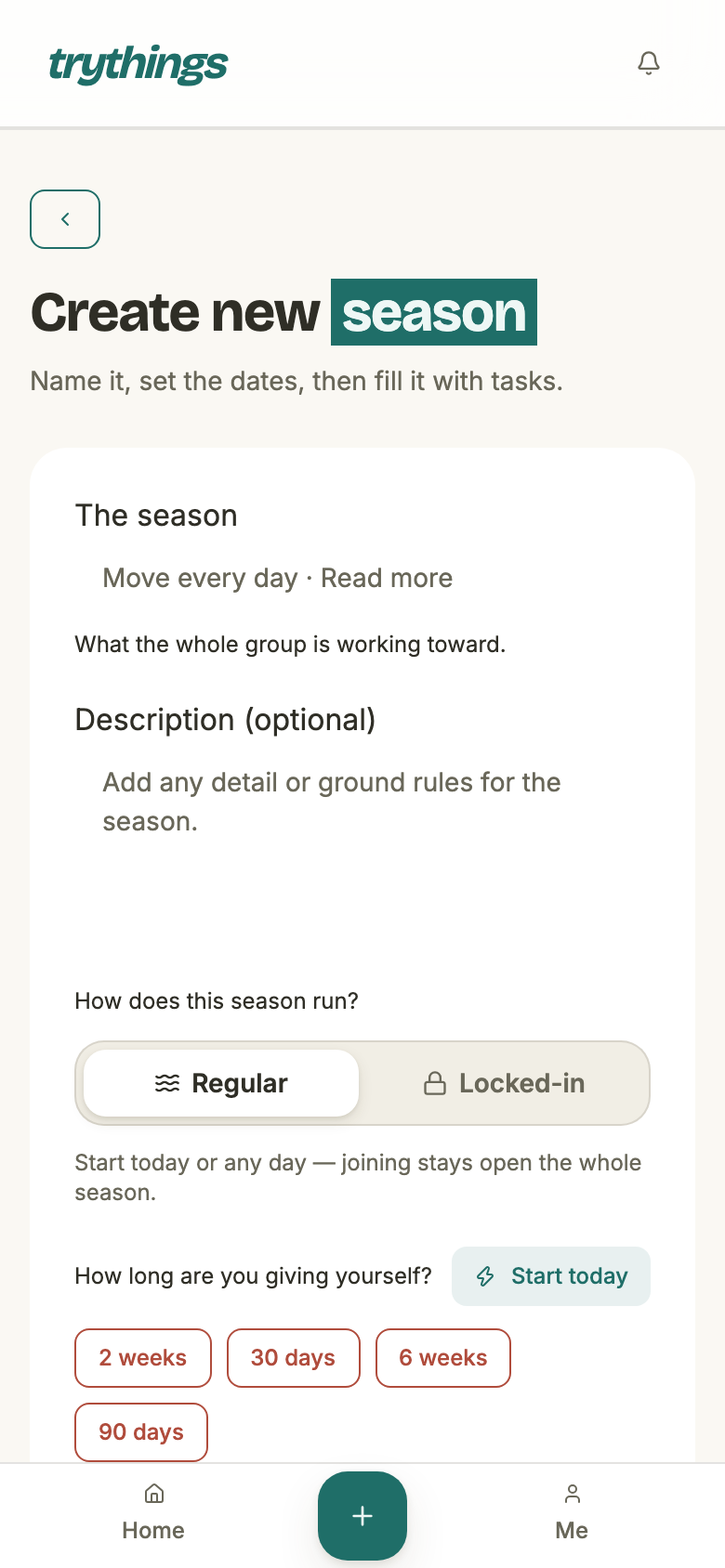
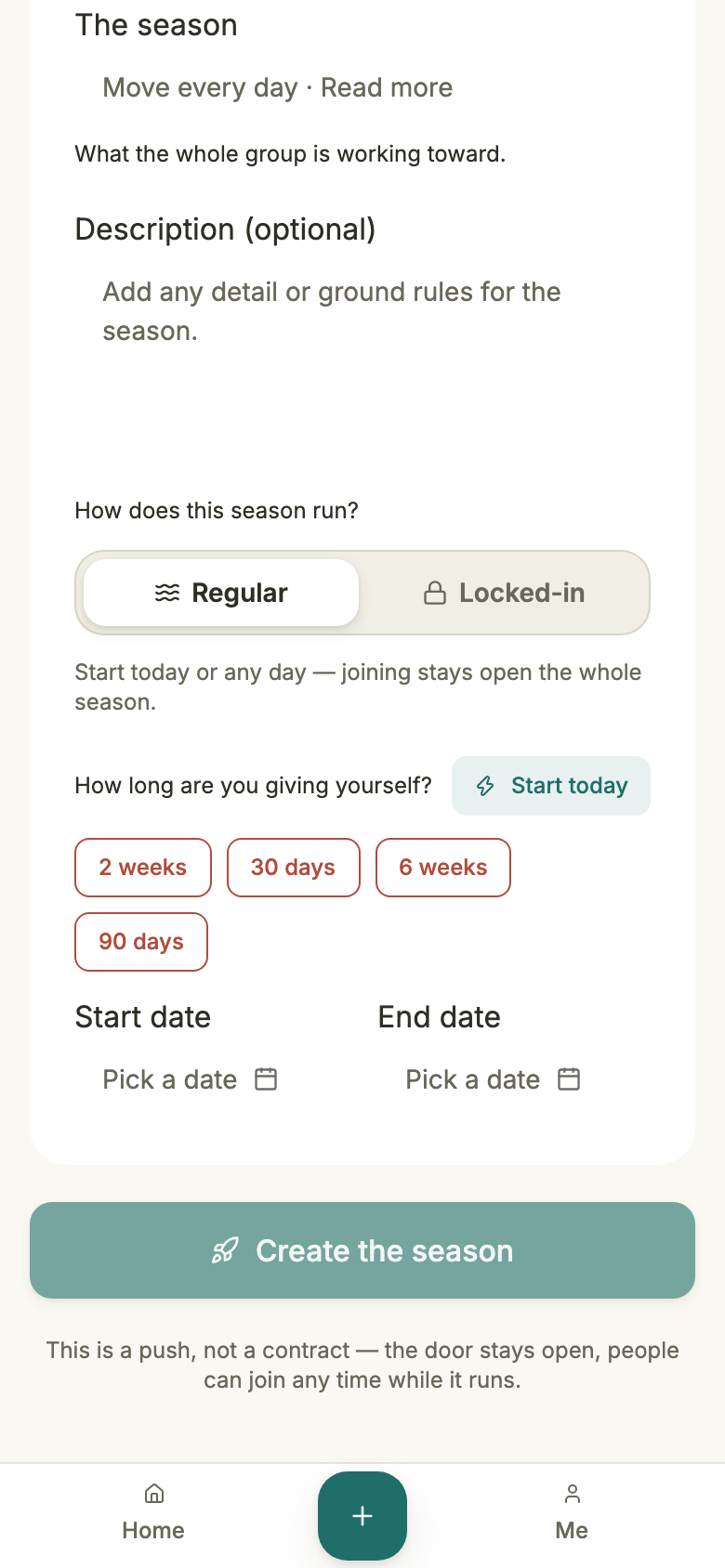
An admin names the season, says how it runs, and gives it a window. That is the whole of it, and it is the last time any of those four things can be set.
- Who
- Any admin of the group. A plain member is sent back to the group page.
- When
- Only while the group has no season that has not ended yet. A second one is refused with “This group already has an active or upcoming season”.
- Start day
- Cannot be in the past. A locked-in season must start strictly after today; a regular one may start today.
- End day
- Must be after the start day, so the shortest season is two days.
- Both bounds
- Inclusive. The season is live through the whole of its end day, so its last due day can actually be posted.
- Mode
- Chosen here and never again — see below. Immutable, like everything else on the season.
- Afterwards
- Delete is the only write left. There is no edit form, and no route behind one.
The two modes
The mode decides exactly one thing: who may still take up a commitment. It has no say over editing one, which is lobby-only either way.
- Regular
- May start today. The roster stays open for the whole run — someone can commit on day 10 of 30, or join the group mid-season and commit the day they arrive.
- Locked-in
- Must start after today, so there is always a lobby. The roster closes at kickoff: after that, “Commitments are locked once the season starts”.
- Neither of them
- Reopens editing. A commitment can be changed in the lobby and nowhere else, in both modes.
- Ended beats both
- Once a season is over, the refusal is “The season has ended” regardless of mode — there is nothing left to commit to.
Lobby, active, ended
The phase is never written down. It is derived, every time it is asked for, by comparing the season's two days against the calendar day of whoever is asking:
- Lobby — today is before the start day.
- Active — today is on or between the start and end days.
- Ended — today is after the end day.
Because the comparison is against the viewer's day, two members in different timezones can legitimately disagree about the phase for up to about a day either side of a boundary. That is deliberate, and it is the same viewer-relative rule that due days and proofs already follow.
The lobby
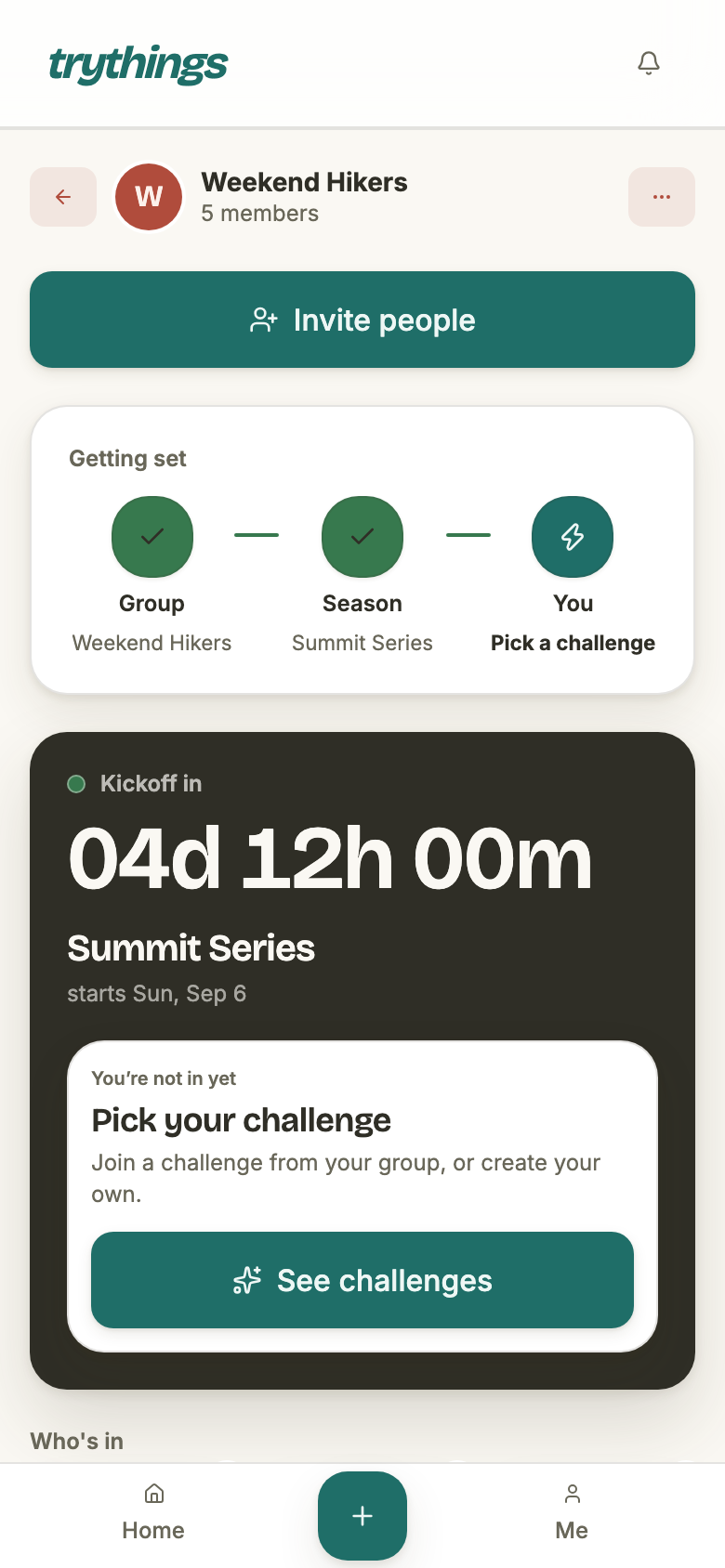
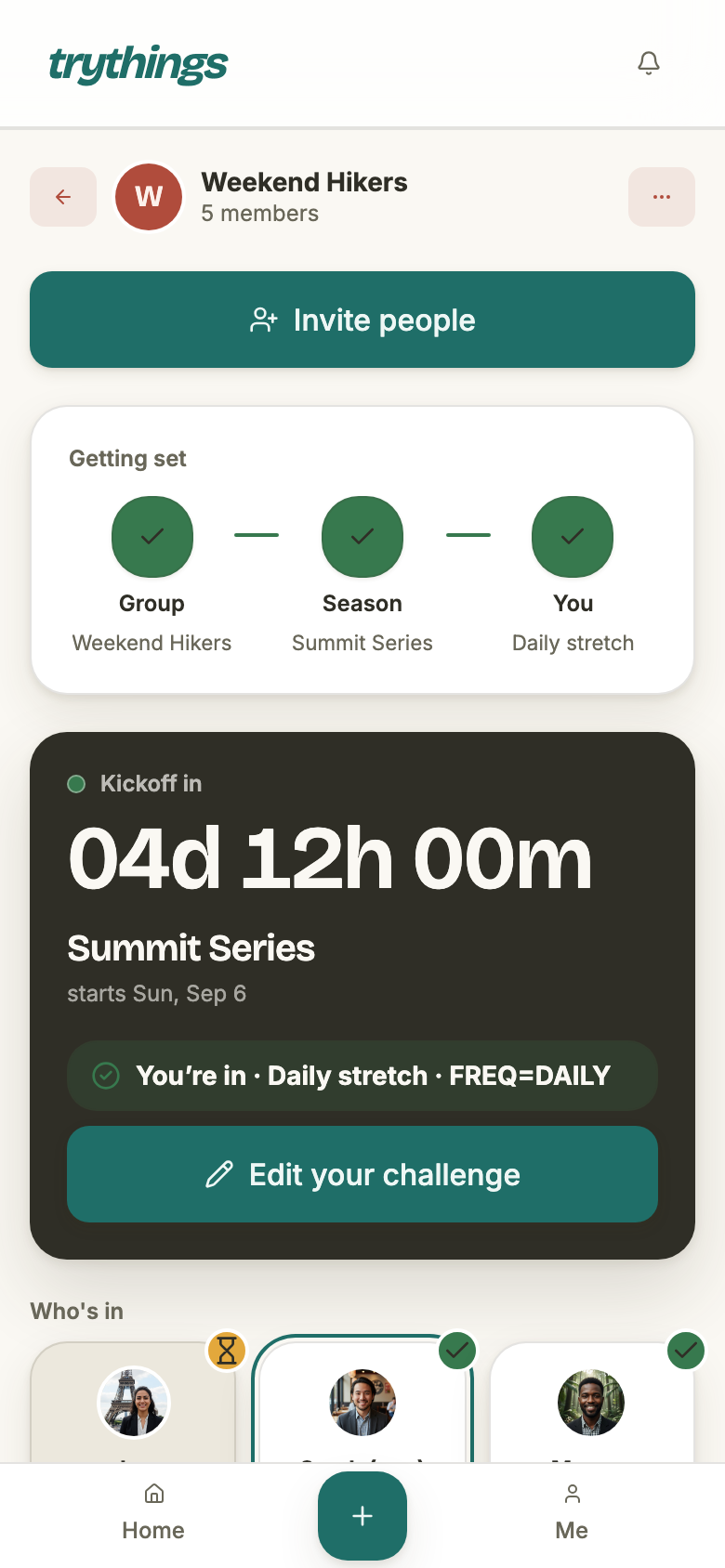
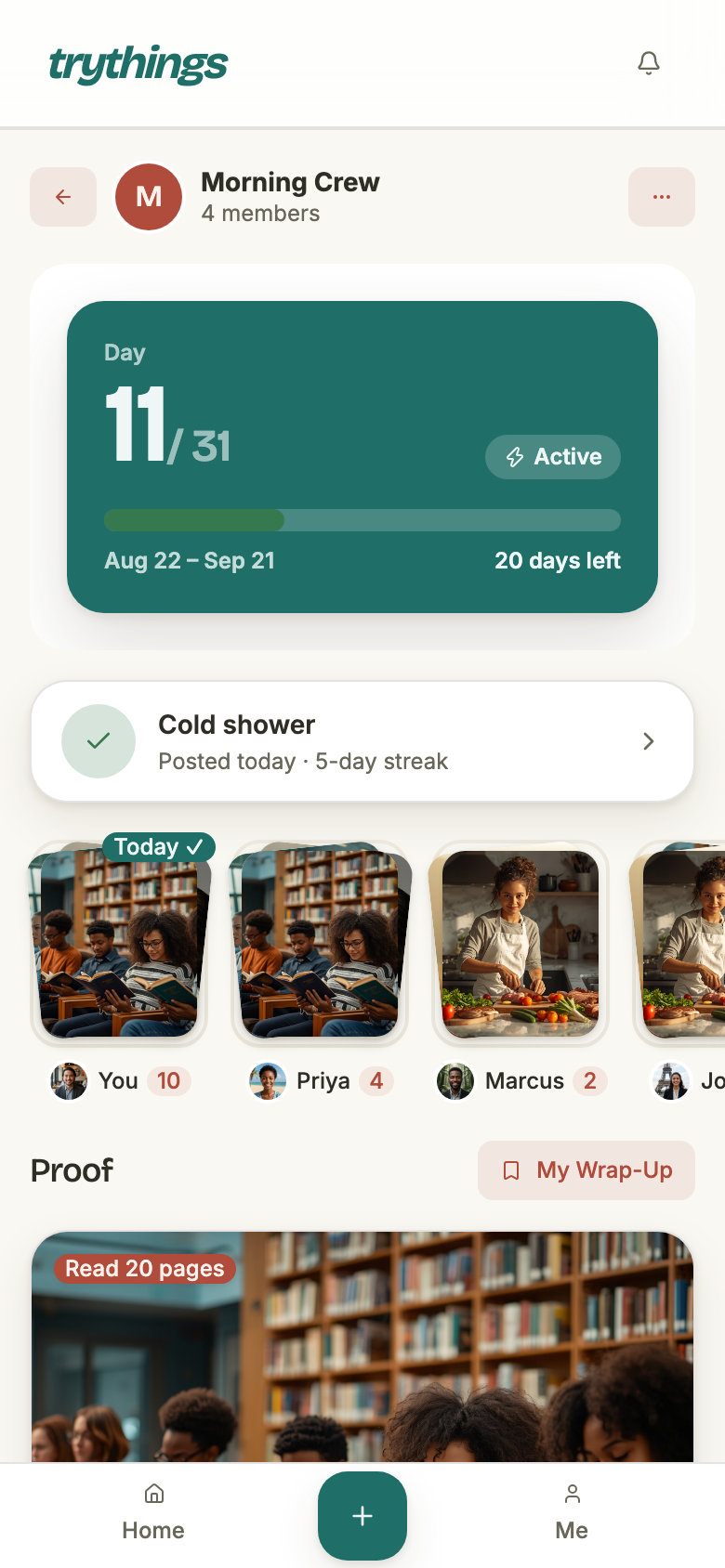
The lobby is a countdown and a roster. Every member of the group is on it; the ones who have committed are marked ready, and the ones who have not are waiting. A member who has not committed is shown the challenge picker on their first visit, and a persistent card after they dismiss it.
There are two ways in, and they produce the same thing: create your own challenge, or join someone else's, which inherits their cadence unless you pick your own.
- Free to change
- The challenge title, its description, its checklist and your cadence — as many times as you like, right up to kickoff.
- Free to leave
- Withdraw, then take it back up, then withdraw again. Nothing is being counted yet.
- Not yet possible
- Posting a proof, or ticking a checklist item. Both are refused with “The season has not started”.
- Editing a shared challenge
- If nobody else joined yours, the edit lands on it. If someone did, you get a private copy of it instead and their commitment is left exactly as it was.
- Deleting the season
- Still an admin’s call, and still the only way to change its dates — by replacing it.
Kickoff — the line
Nothing runs at kickoff. No job fires, no rows are rewritten; the day simply moves past the start date and the same questions start being answered differently. This is every answer that changes:
- Editing your commitment
- Closes, in both modes. “Commitments are locked once the season starts.” This is the line the whole page is about.
- Taking one up for the first time
- Regular: still open, all the way to the last day. Locked-in: closed.
- Posting proof
- Opens.
- Ticking a checklist
- Opens.
- Withdrawing
- Unchanged. It was open in the lobby and it stays open until the season ends.
- Editing or deleting a proof
- Open, and stays open until the season ends.
Withdrawing
Withdrawing is the one door out of a season you have committed to, and it is the same door on both sides of the start line. In the lobby it is behind your own tile on the roster; once the season is running it is in the overflow menu on the group page. Both raise the same confirmation, with the same promise attached: you can take it back up any time before the season ends.
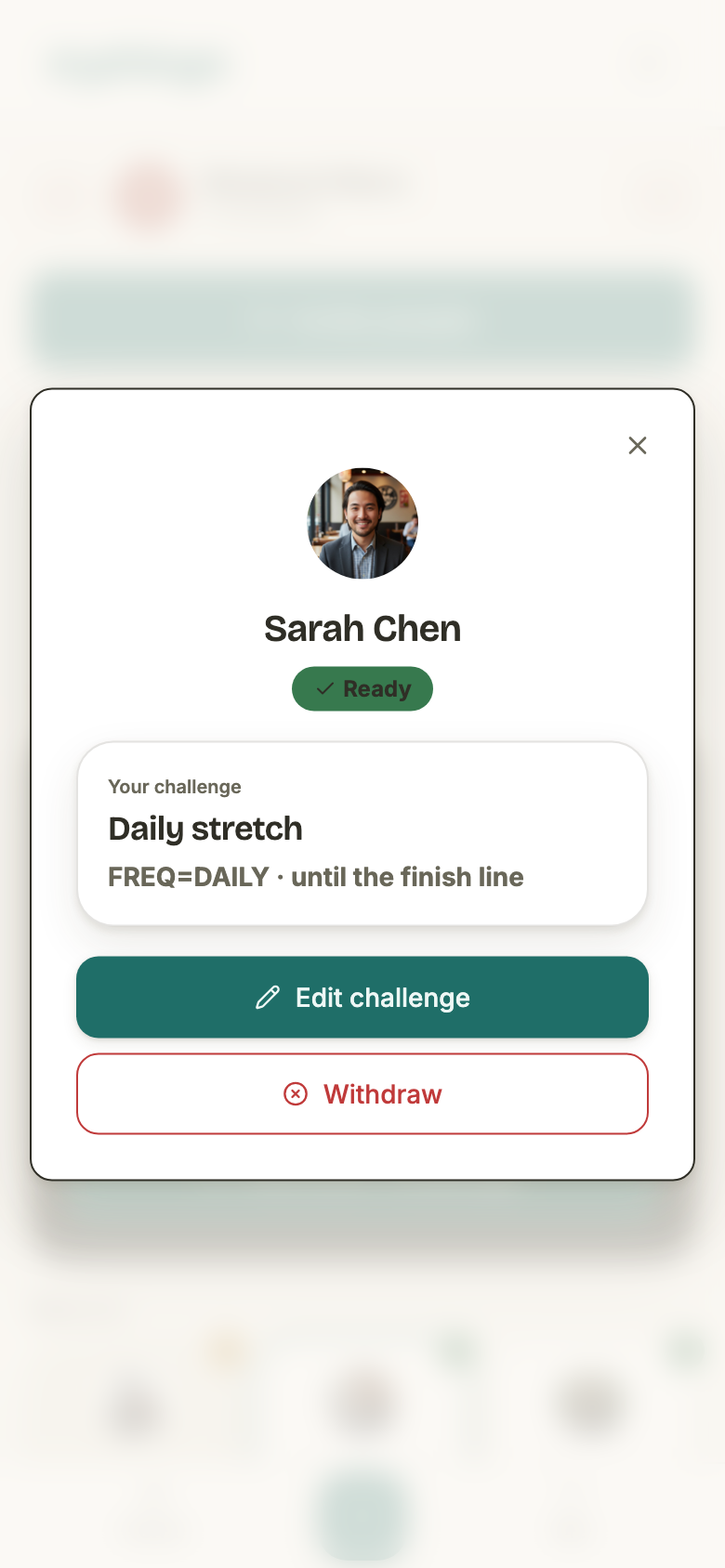
- Allowed in
- Lobby and active. Never after the season has ended — “The season has ended”.
- What it changes
- One field: your commitment’s status. Nothing is deleted and nothing is moved.
- Reminders
- Stop. The reminder sweep only ever looks at active commitments.
- Posting proof
- Refused — “Your commitment is withdrawn”.
- Editing a proof’s caption
- Refused — “A withdrawn commitment cannot edit proof”.
- Deleting one of your proofs
- Still allowed. Withdrawing is not meant to trap your own posts in place.
- Ticking a checklist
- Refused, on the same rule as posting.
- Reading, reacting, commenting
- Untouched. Those are member rights, not commitment rights — a withdrawn member is still in the group.
What it does not destroy
Nothing. Every proof you posted stays exactly where it was — in the season timeline, in other members' feeds, in the wrap-up, with its reactions and its comments intact. You stay on the standings too, in your original position, with a Withdrawn badge on your row. Withdrawing removes you from the running; it does not remove you from the record.
Two ways back
A withdrawn member has two different returns available, and they mean different things. The app offers the first as Take it back up; the second is what happens if you go through the challenge picker again instead.
- Take it back up
- The same commitment, flipped back on. Same challenge, same cadence, same start day — so the days you missed are still missed and your ratio picks up where it left off.
- Commit again from scratch
- The same row, re-pointed at a new challenge and re-anchored to today. The days you were away now sit before your window, so they are not due days for this commitment at all — a clean slate, not an amnesty.
- Your old proofs
- Survive either way. Committing afresh re-points the link rather than replacing it, so the history stays yours — relabelled with the new challenge’s title.
- In a live locked-in season
- Only the first is available. The roster closed at kickoff, but you were on it before then — coming back is not joining.
- After the season ends
- Neither. “The season has ended”; there is a result to read and nothing left to commit to.
When it ends
The day after the end date, the season stops taking writes. Every one of these is refused with the same words — The season has ended:
- Taking up a commitment, in either mode.
- Editing one.
- Posting a proof, or ticking a checklist.
- Editing or deleting a proof.
- Withdrawing — and taking a withdrawal back up.
What survives is everything to do with reading it. Reactions and comments still land on an old proof, and you can still take your own name off one you were tagged in. A season that has ended is a record, and a record people still talk about.
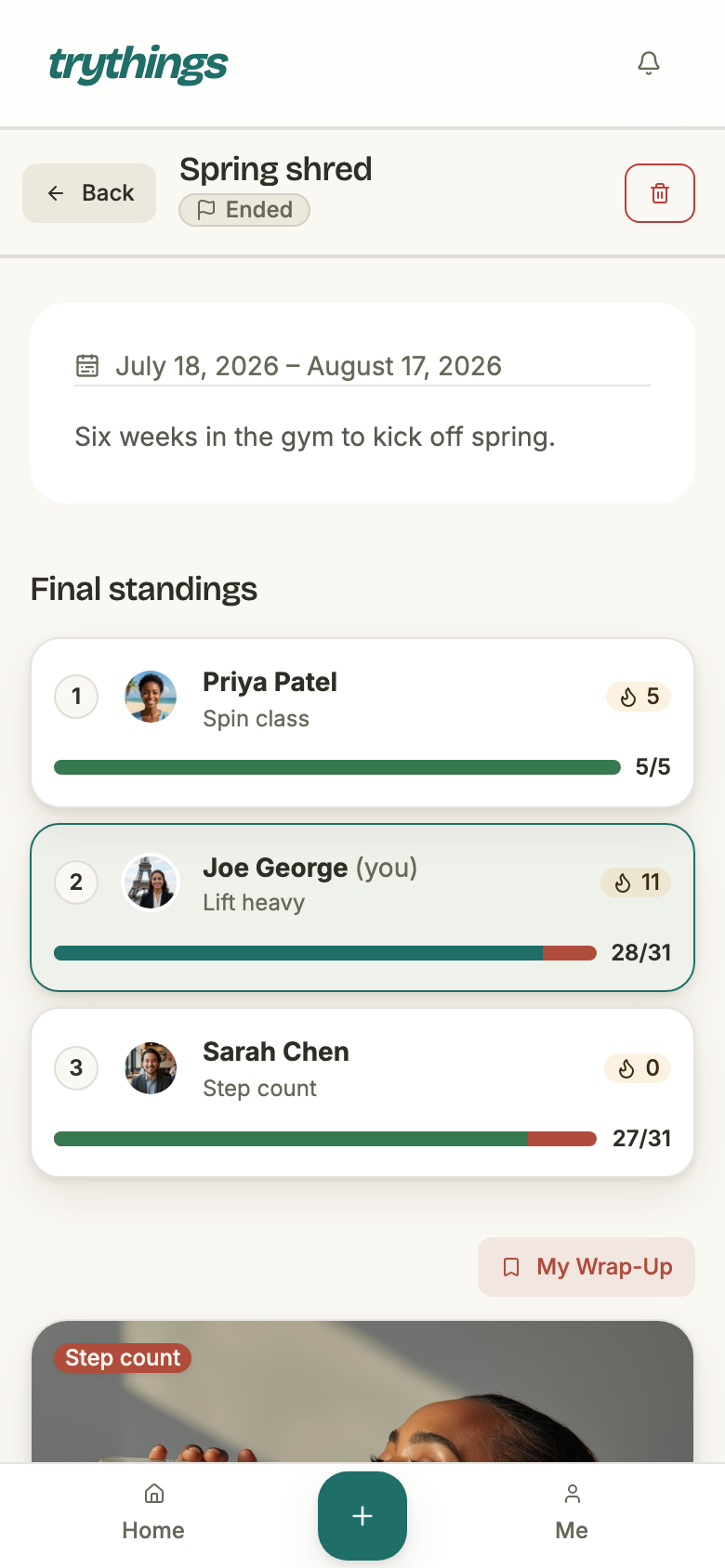
It also changes address. While a season is in the lobby or running, it lives on its group's page; /seasons/<id> redirects there. Once it ends, that page becomes its read-only viewer — the final standings, the whole season's feed, and each member's photos.
Deleting one
An admin can delete a season in any phase. It is a hide, not a destroy: the season, its challenges, every commitment in it, every proof under those commitments and every checklist tick are all marked deleted together, in one transaction, with one shared timestamp. Nothing is erased from the database.
Two things are worth knowing before reaching for it:
- The bell rows are the exception. Notifications for tags and reactions inside the deleted subtree are really deleted, because the bell must never point at something the member can no longer open. Nothing recreates them.
- There is no undo in the app. The restore exists, and it revives only the rows carrying that exact stamp — but it is a service-level operator's tool with no route and no button behind it.
Deleting is also the only way to change a season's dates, mode or title: delete it and create the one you meant. In the lobby that costs everyone their commitment; after kickoff it costs them their proofs too.
The vocabulary trap
The product's words and the schema's words were fixed at different times and never reconciled. Nothing in the database is called a season. This is the map:
- Season
- The `collection` table. Older notes and briefs sometimes call one a “goal”, which is worse than it sounds — see the next row.
- Challenge
- The `task` table: one member’s thing-to-do inside a season, joinable by others. Documents that say “goal” usually mean this, and the create page still calls them tasks on screen.
- Commitment
- The `schedule` table: one member’s pledge in one season — their cadence, their personal start day, and whether they are active or withdrawn. One per member per season.
- The link between them
- `schedule_task`. Joining someone else’s challenge is a new `schedule` pointing at the same `task`, which is why an edit can need to fork one.
- Proof
- The `post` table, hung off `schedule_task` rather than off the season.
- Phase
- Not a column at all. `lobby` / `active` / `ended` are derived on every read, per viewer.
- Mode
- A column — `regular` or `locked_in` — and the only one of these that is stored and never updated.