Staying in touch
Email notifications
trythings sends five notification emails, plus the sign-in link. This is every one of them, who receives it, what makes it fire, and how often it can arrive.
At a glance
Five events reach a member's inbox. Everything else the app notifies on stays inside the app — the bell — or goes to the phone as a push.
- Someone wants to join your group — to every admin, when a request lands.
- You're in — to the requester, when an admin approves.
- Your request was declined — to the requester, when an admin declines.
- You were tagged in a proof — to each tagged member.
- Someone commented on your proof — to the proof's author and anyone tagged on it.
The sign-in link is separate. It is transactional, not a notification, and turning notification email off never touches it.
The rules every one of them follows
These hold for all five, without exception, because they live in one funnel rather than in each template:
- The email comes after the work, never before it. The join request, the tag, the comment — each is written and committed first. The email is a nudge on top of work already done, so a mail failure can never cost a member the action they took.
- It can be sent at most once per recipient, per event, per day. A ledger row is claimed before the send, not after, so a retry can never double-send. What "the event" and "the day" mean differs per email — that is the interesting part, and each section below spells it out.
- A member who has muted email gets nothing, and no ledger row is written for them. Their first real email after switching back on is not swallowed as a duplicate.
- Every one carries an unsubscribe link in the footer plus the headers Gmail and Outlook use to show their own one-click unsubscribe button. It is not possible to render one of these emails without its footer.
- There is no retry queue. If SendGrid hard-fails, that one email is gone. The in-app bell row is the record; the email is the nudge.
- Every email ships a plain-text twin alongside the HTML, for plain-text clients and because a missing text part reads as a spam signal.
1. Someone wants to join your group
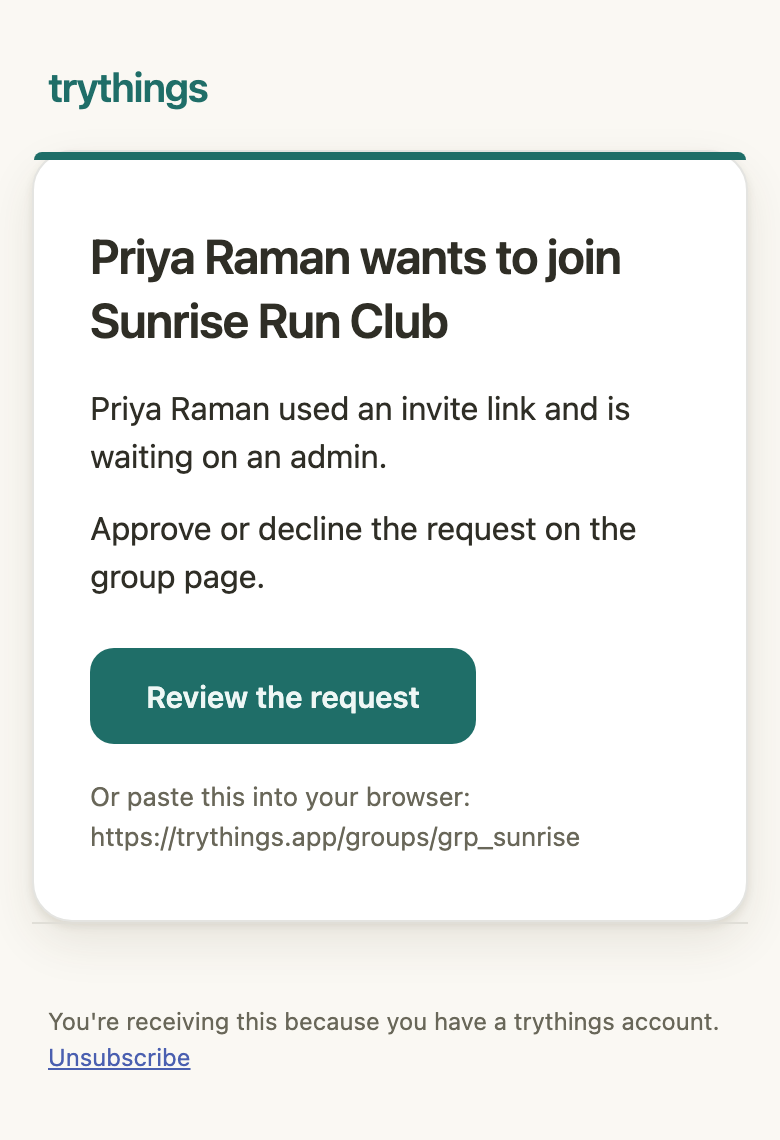
A person opens an invite link to a group they are not in. That creates a join request that an admin has to act on — and the bell row alone means an admin has to go looking for it. This email is what closes that gap, so it deep-links to the group page where Approve and Decline live.
- Goes to
- Every current admin of the group. An admin who has left is not mailed.
- Fires when
- A join request is created from an invite link, once it commits.
- How often
- Once ever, per admin, per request. A member who is declined and asks again creates a new request, and that one mails again.
- Subject
- “Priya Raman wants to join Sunrise Run Club”
- Button goes to
- The group page, where the request is approved or declined.
- Also sends
- A bell row for the same admins. No push.
2. You're in
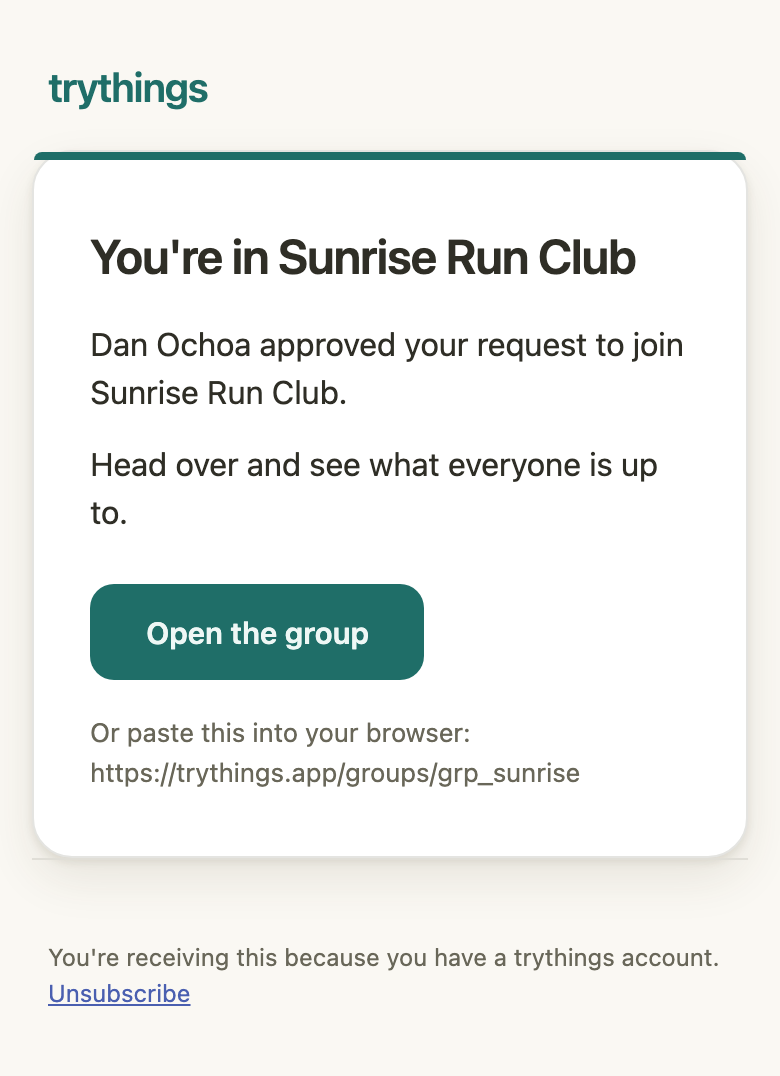
The other half of the loop, pointed at the person who waited. It names the admin who let them in — credit for that is worth attaching to a person. If that admin has since deleted their account, the copy falls back to "An admin" rather than dropping the email.
- Goes to
- The person who requested to join.
- Fires when
- An admin approves the request, once the decision commits.
- How often
- Once ever per request. A decision cannot be retried into a second email, and cannot be flipped afterwards.
- Subject
- “Dan Ochoa approved you — you’re in Sunrise Run Club”
- Button goes to
- The group. The member row is written before this sends, so the link opens.
3. Your request was declined
The unhappy half sends too, deliberately. A request that is silently never answered is indistinguishable from one that was declined, and leaving someone in that state is worse than telling them.
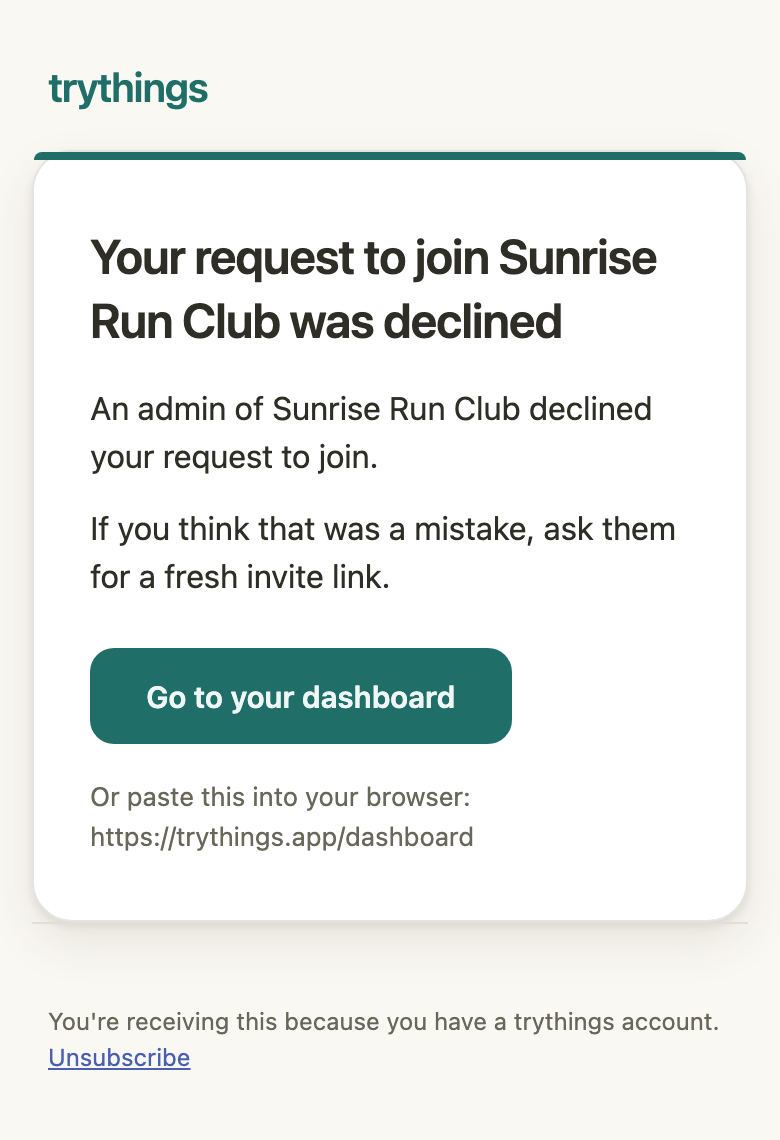
Two details are deliberate. It does not name the admin who declined — pointing the disappointment at one member is a fight nobody asked for, and the group is what decided. And it links to the dashboard, not the group: the requester is not a member, so the group page would answer with a permission error.
- Goes to
- The person who requested to join.
- Fires when
- An admin declines the request, once the decision commits.
- How often
- Once ever per request.
- Subject
- “Your request to join Sunrise Run Club was declined”
- Button goes to
- The dashboard — the one page a signed-in non-member can always open.
4. You were tagged in a proof
Someone posted a proof and put your name on it. A tag asks nothing of you and no window is closing — it earns an inbox slot on the other rule: being named on another person's proof is worth hearing about when you are not in the app.
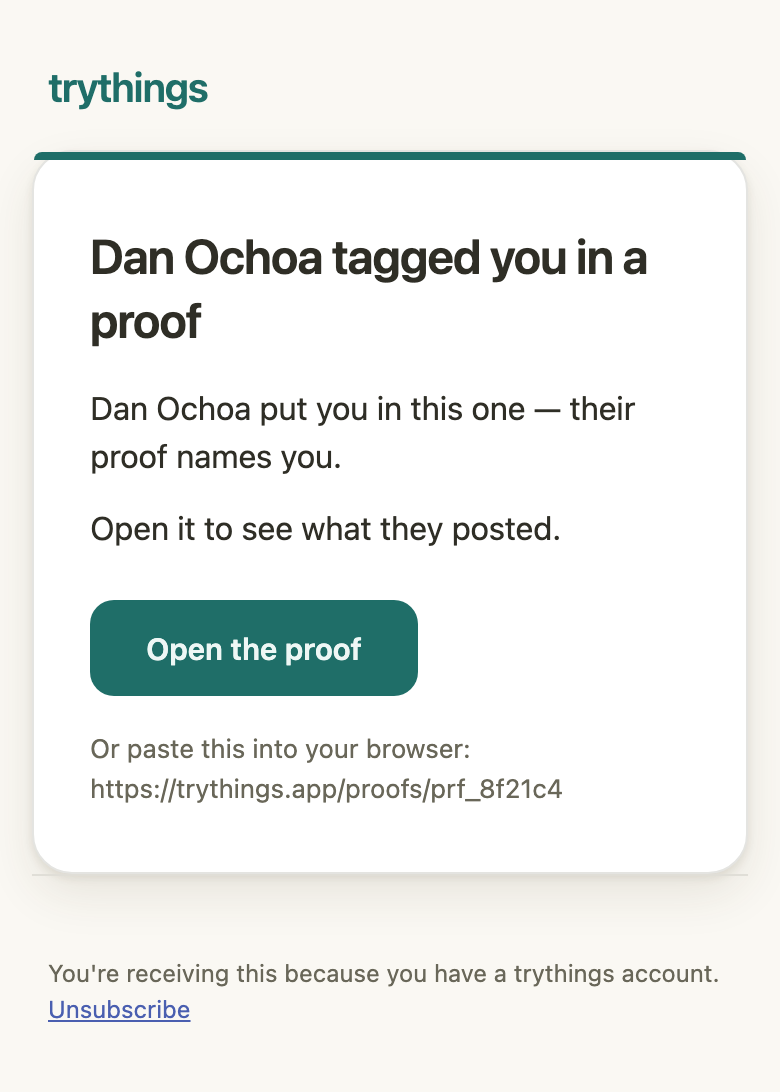
Both tagging paths send it — posting a proof with tags, and adding a tag afterwards. If the author has no display name, the copy says "Someone" rather than skipping the email.
- Goes to
- Each member tagged on the proof.
- Fires when
- A proof is posted with tags, or a tag is added to an existing proof.
- How often
- Once ever, per member, per proof — keyed to the proof’s own date. Untagging and re-tagging the same person does not mail them twice.
- Subject
- “Dan Ochoa tagged you in a proof”
- Button goes to
- The proof’s own page — which is also where the tag can be taken back off.
- Also sends
- A push to the same member, on the same once-ever rule.
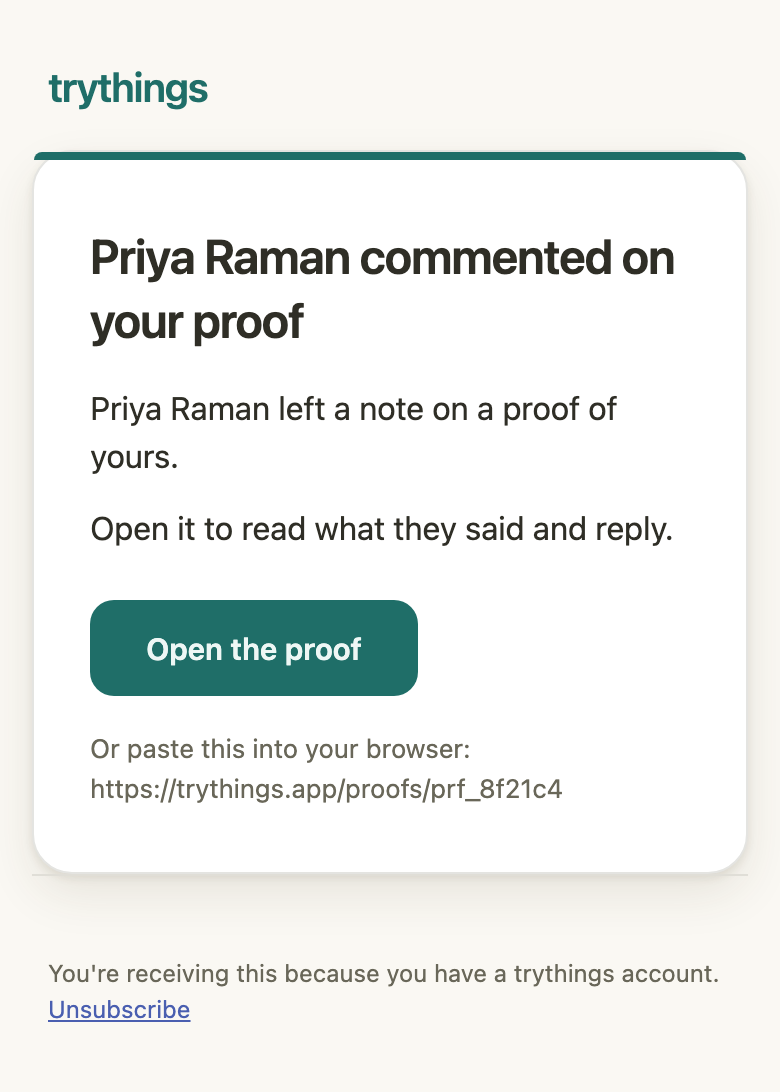
5. Someone commented on your proof
This is the only one of the five that can arrive more than once for the same thing, and the only one throttled against the recipient's calendar day. A proof that draws comments across a week mails once each day, not once per comment and not once ever.
It names the commenter. The push deliberately cannot — the same buzz goes to everyone and a name would be stale by the time the phone is picked up — but an email is read as a record of the moment it was sent. It never carries the comment body: the tease is paid off in the app.
- Goes to
- The proof’s original author plus every member who accepted a tag on it and still stands in the group — minus whoever wrote the comment.
- Fires when
- A comment is added to a proof, once it commits.
- How often
- At most once per recipient, per proof, per day — measured in that recipient’s own timezone. A second commenter an hour later does not mail again.
- Subject
- “Priya Raman commented on your proof”
- Button goes to
- The proof, where the comment can be read and replied to.
- Also sends
- A push on the same once-per-day rule, which does not name the commenter.
The sign-in link
The magic link that logs a member in is not one of the five. It is transactional, it runs on a different path entirely, and it uses a template held in SendGrid rather than the renderer above — which is why there is no screenshot of it here. Two things follow from that:
- Unsubscribing from notifications never stops a member signing in.
- Its links are sent with click tracking switched off on purpose. A rewritten link would not resolve to
trythings.app, and the phone would open a browser instead of the app.
What does not send an email
Two things the app notifies on stay out of the inbox entirely. Both write a bell row and nothing else:
- Reactions — a like on your proof.
- A group being archived — every member but the admin who archived it.
Turning them off
There is one switch, and it covers all five. There is no per-type preference.
- In the app — Profile, under Notifications. Flip it off and no notification email is sent, effective immediately.
- The Unsubscribe link in any footer — works while signed out, because the link itself carries a signed token naming the member. It stays valid for 90 days, and visiting it twice confirms rather than errors.
- Gmail's or Outlook's own unsubscribe button — every email advertises the one-click headers those clients look for.
All three flip the same flag. Turning it back on is done in Profile.
For operators
The whole notification email channel switches off when the SendGrid API key or from-address is unset. Nothing is sent and — importantly — no ledger rows are written, so switching it back on does not swallow everybody's next email as a duplicate. Dev and CI run this way by default, which is why no email leaves a local machine.
A single failed send is logged as a warning and dropped. It is never retried, and it never surfaces to the member who triggered it.