Groups & seasons
Groups
Everything the app does happens inside a group: the members, the seasons they run, the proofs they post. This is what a group is, who holds which role in one, and what each role can actually do — read off the two checks the server puts every request through.
At a glance
- There is one kind of group. A named container, with people in it, that you were let into.
- Anyone can make one, and whoever makes it is its first admin.
- Two roles, admin and member — and one group can hold several admins.
- A group must always keep one live member and one admin. Every way the count could fall is refused.
- Admins hold the group; members hold their own part in it. The split is exact, and it is below.
- Archiving is a shelf, not a delete. Everything keeps working, and everyone else is told on the bell.
One kind of group
Earlier versions gave every member a private group of their own, minted on first sign-in. That is gone. Nothing creates one any more — a new account gets its default roles and nothing else — and a deploy step deletes the ones production still carries, because the column that told them apart from a real group has been dropped.
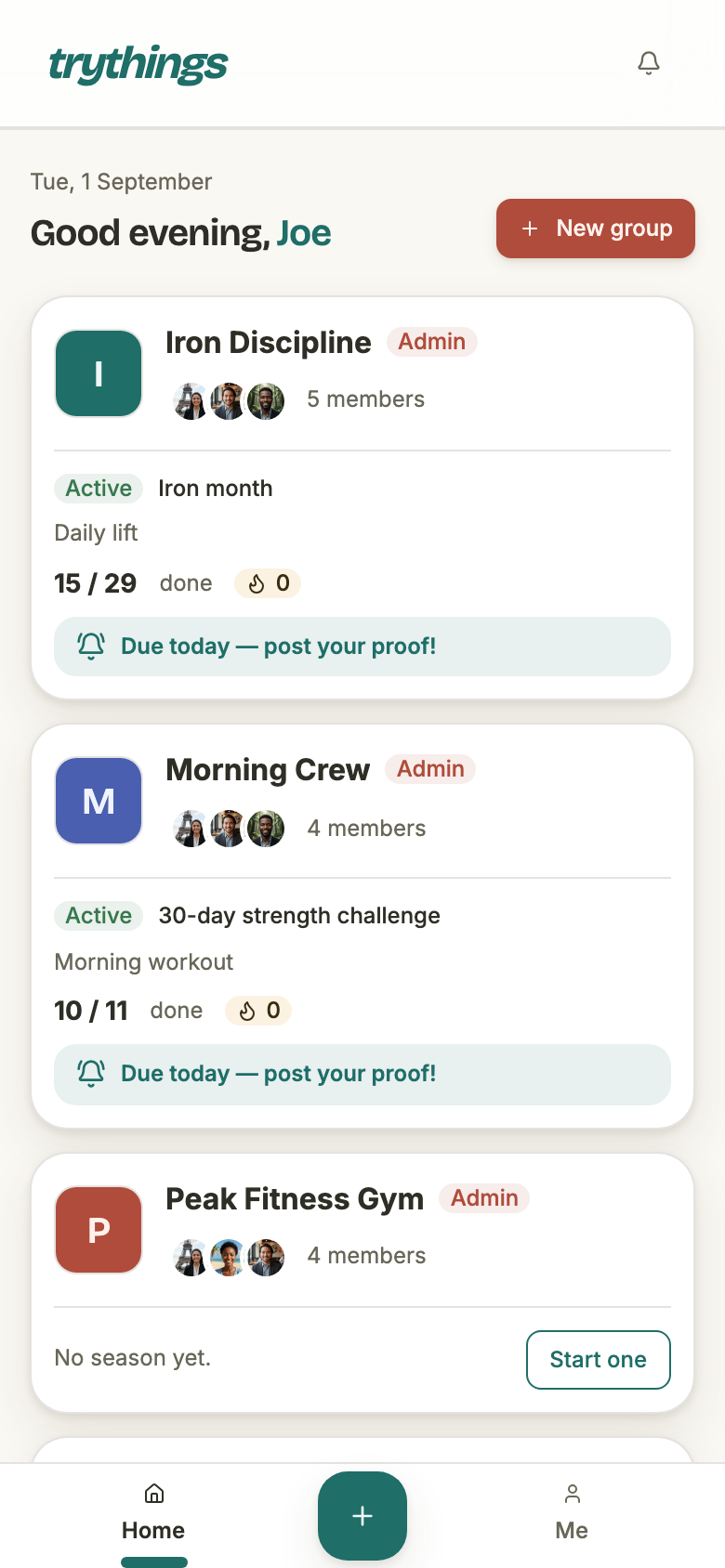
So there is no personal space, no drafts corner, and no group you are in by yourself without having asked for it. Every group on your dashboard is one you made, or one somebody let you into.
Making one
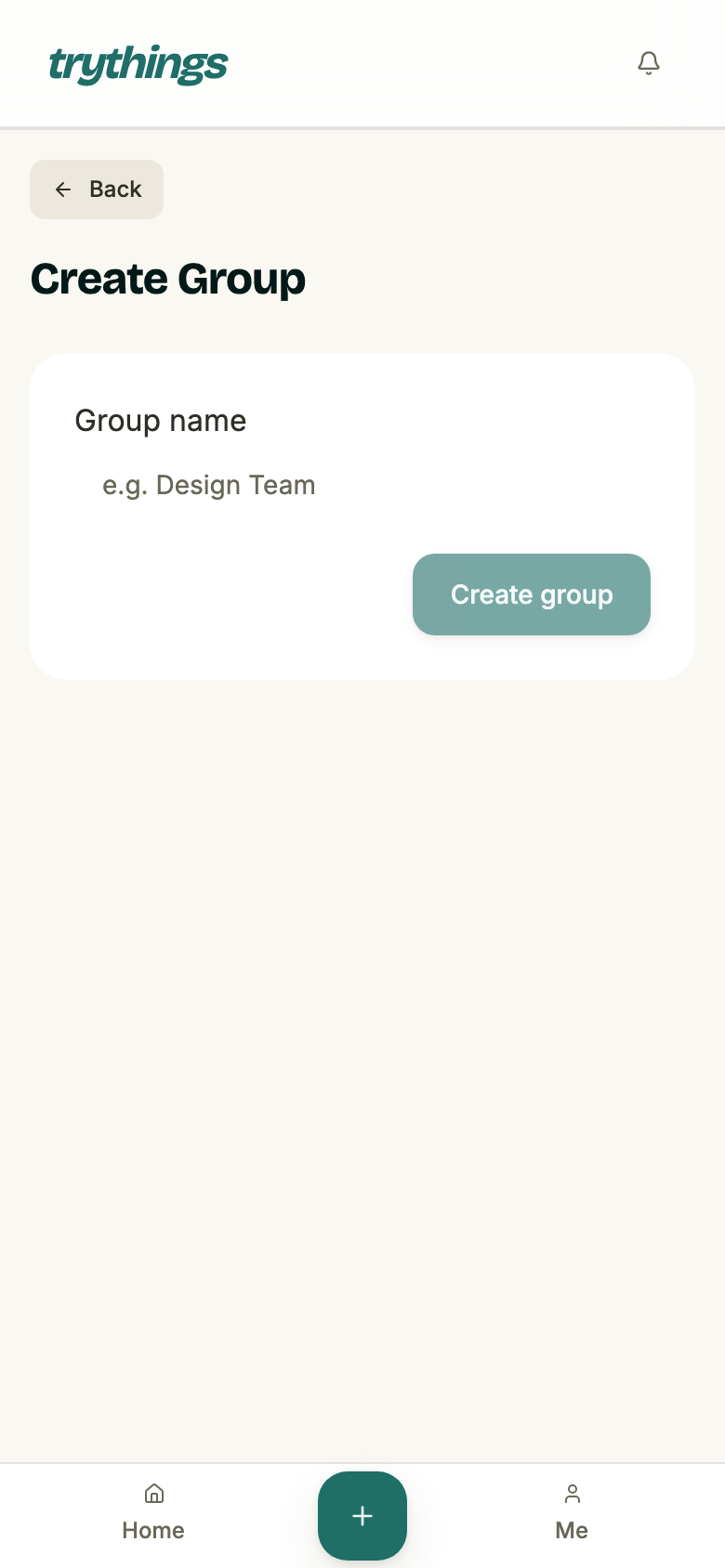
A name, between 1 and 255 characters, and that is the entire form. Creating the group writes the group row, and then an admin membership for you — so the person who made a group is always the first one able to run it.
The app then sends you straight on to creating a season rather than back to the dashboard, because an empty group has nothing to show anyone you might invite.
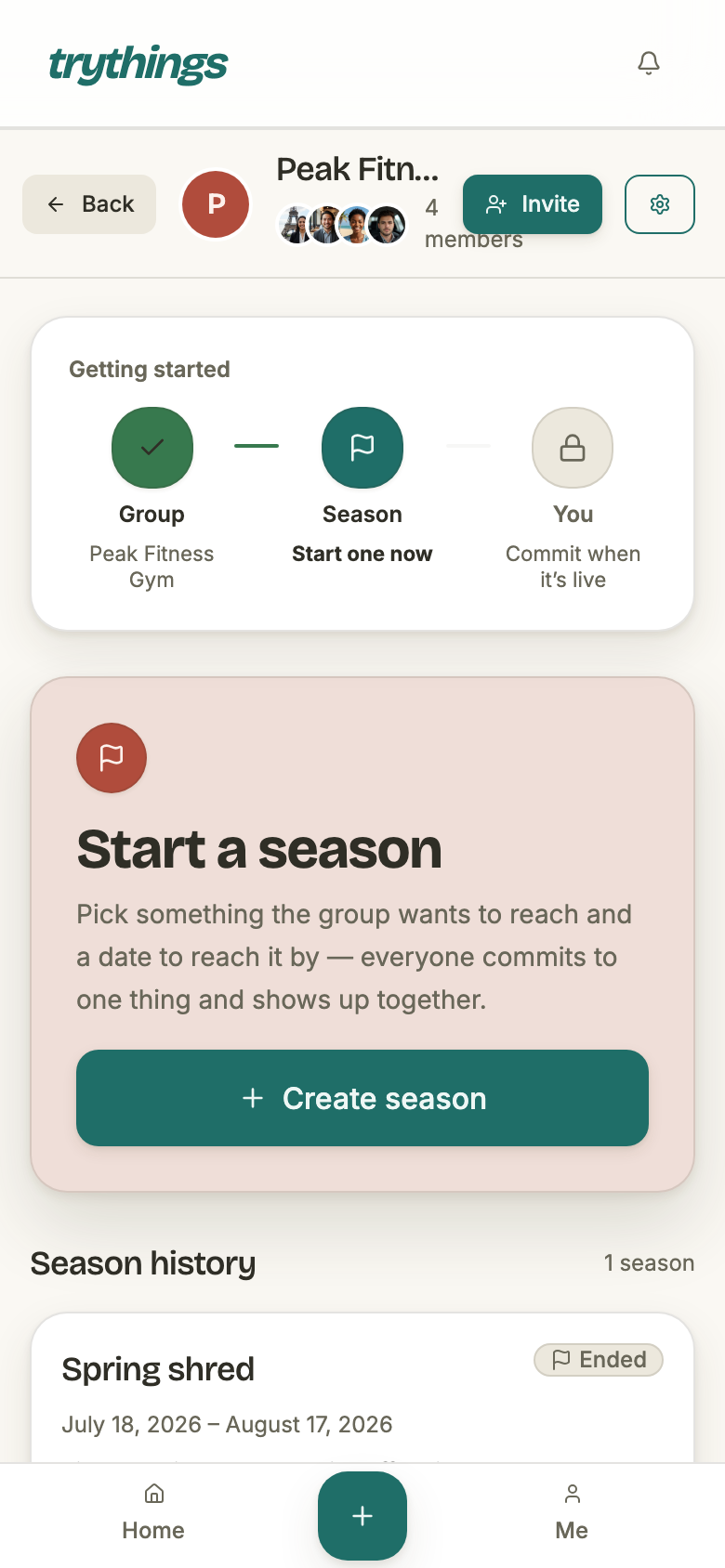
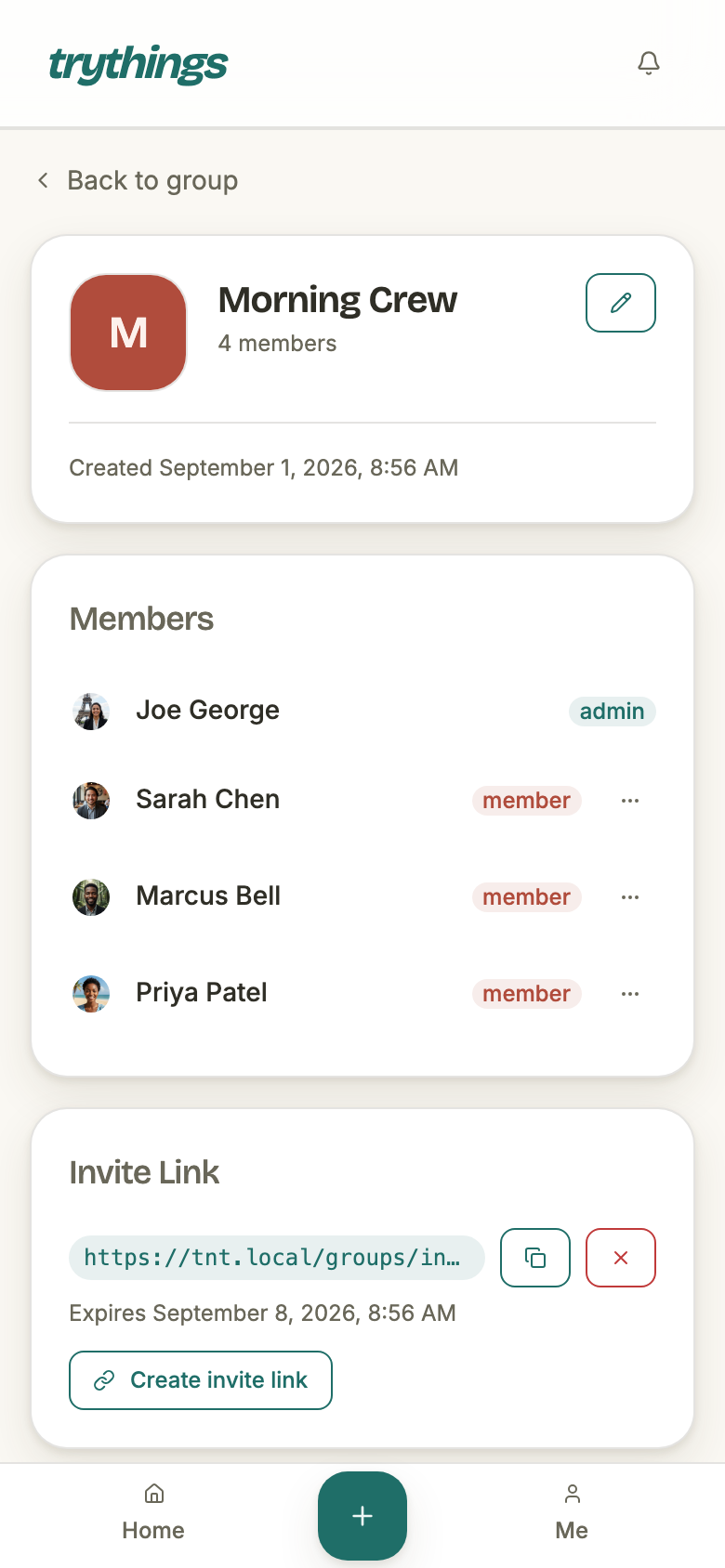
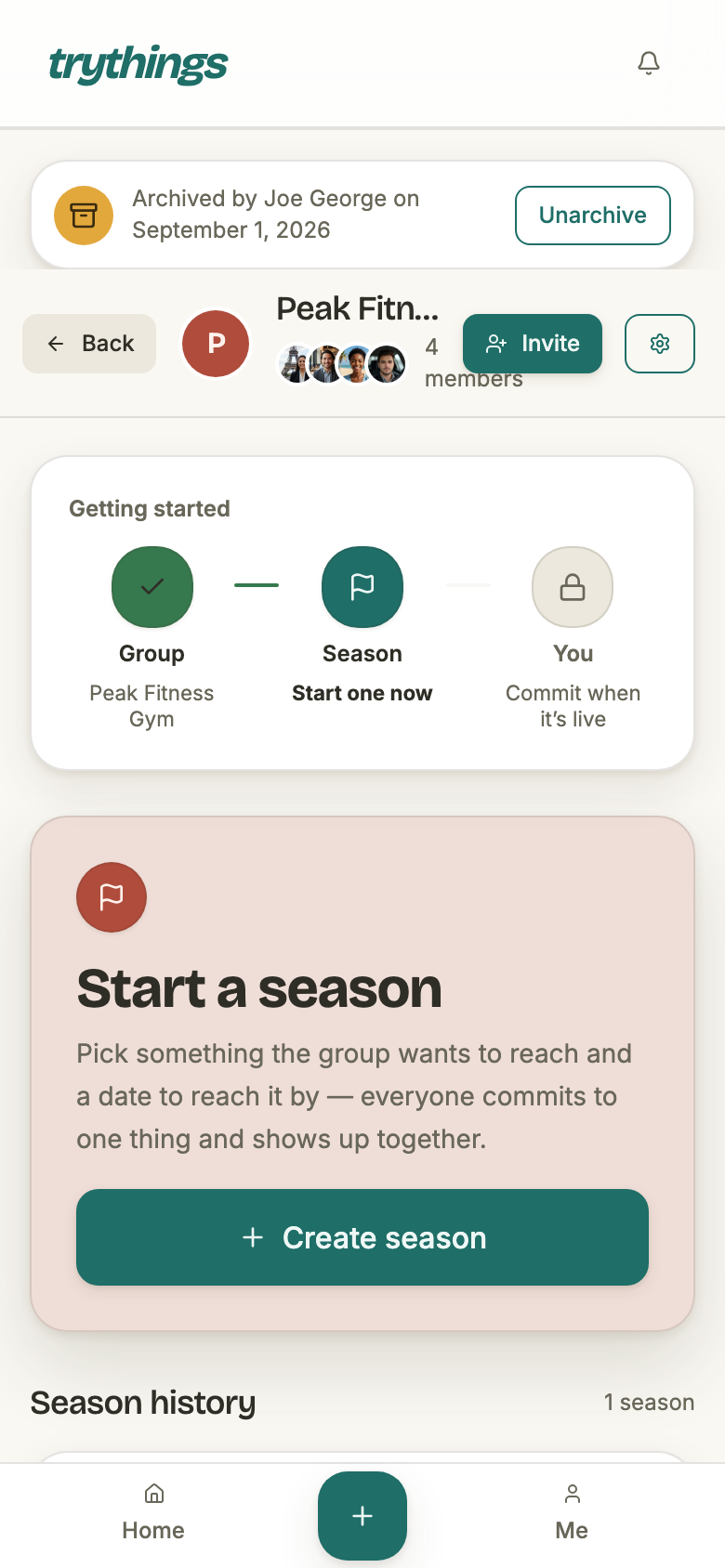
What you end up with is this: a header carrying the group's photo, its member faces and its count, and — because you are its admin — an Invite button and the settings gear beside them. A member of the same group sees the header without those two.
The two roles
Every request that touches a group goes through one of two checks, and which one it is is the permission model. There is no third tier and no per-action setting.
- Member
- Holds a live membership row in the group. Anything less — never joined, left, or removed — is refused with “You are not a member of this group”.
- Admin
- A membership row whose role is admin. Everything a member can do, plus the group-level verbs below.
- How many admins
- As many as you like. Promotion is unconditional, so a group can be run by all of its members if that is what you want.
- How few
- Never none. Every removal, departure and demotion is checked against that before it is allowed to land.
- Where the role is shown
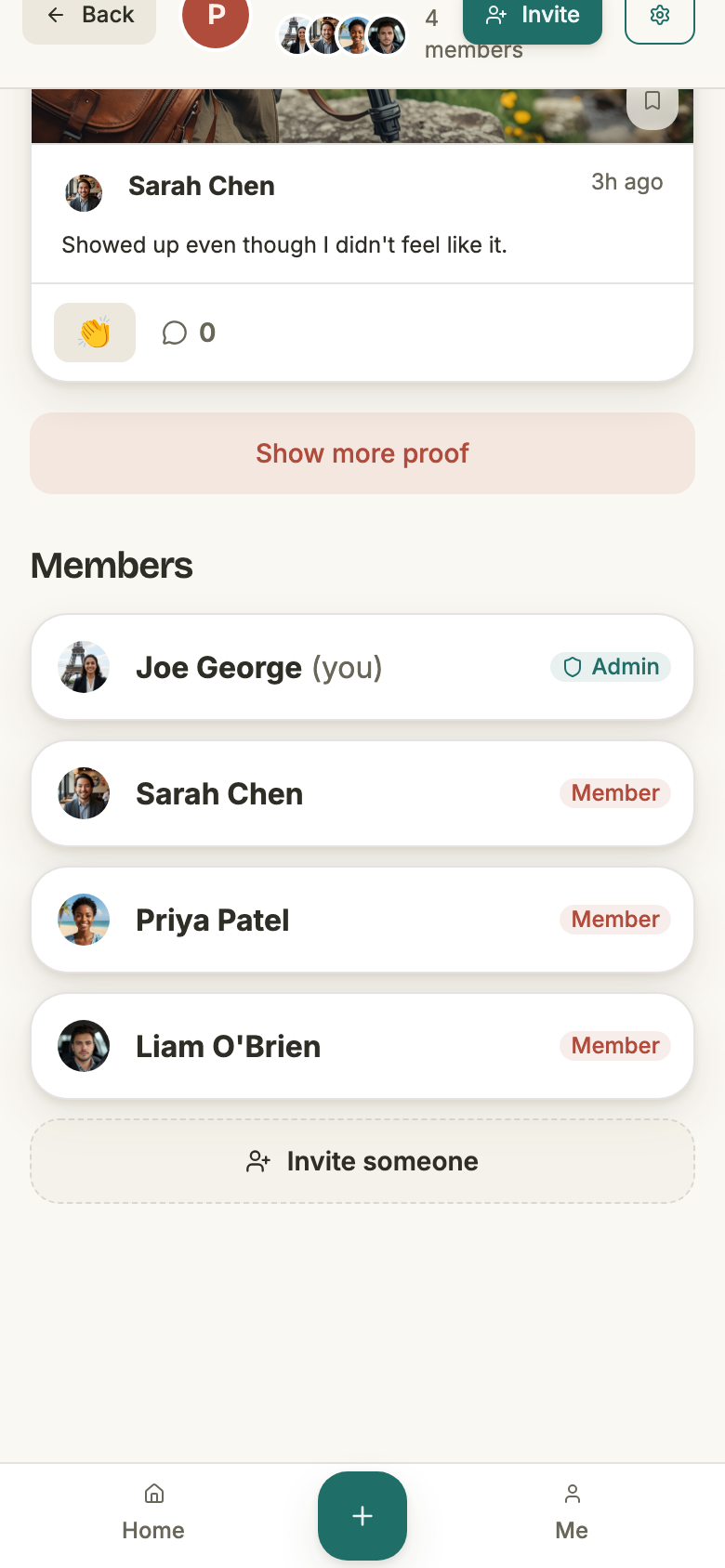
- Beside every name — in the group page’s member list, and again in group settings. The dashboard card carries your own role for each group.
What only an admin can do
These are exactly the actions the server guards with an admin check. A member who asks for one gets “Only group admins can perform this action”, whether or not the app offered them a button.
- Rename it, change its photo
- The pencil on the group settings card. A member sees the card without the pencil.
- Start a season
- The create-season form redirects a non-admin straight back to the group, and the endpoint refuses them anyway.
- Answer join requests
- Both seeing the queue and deciding on a request. Any admin can decide; the first decision is the last.
- See and revoke invite links
- The list of live links, and killing one. Making a link is not on this list — see below.
- Add a member outright
- Bypassing the invite flow entirely. The app offers no button for it.
- Remove a member
- Their membership ends immediately. Not quite the same as their walking out — see Leaving, and being removed.
- Promote and demote
- Make another member an admin, or take the role back off one.
- Archive and unarchive
- The group’s one consequential setting, and the only one that notifies anybody.
What a member can do
The rest. Opening the group, reading its timeline, listing its seasons, committing and posting, and walking out — all gated on membership alone.
The settings page, from both sides
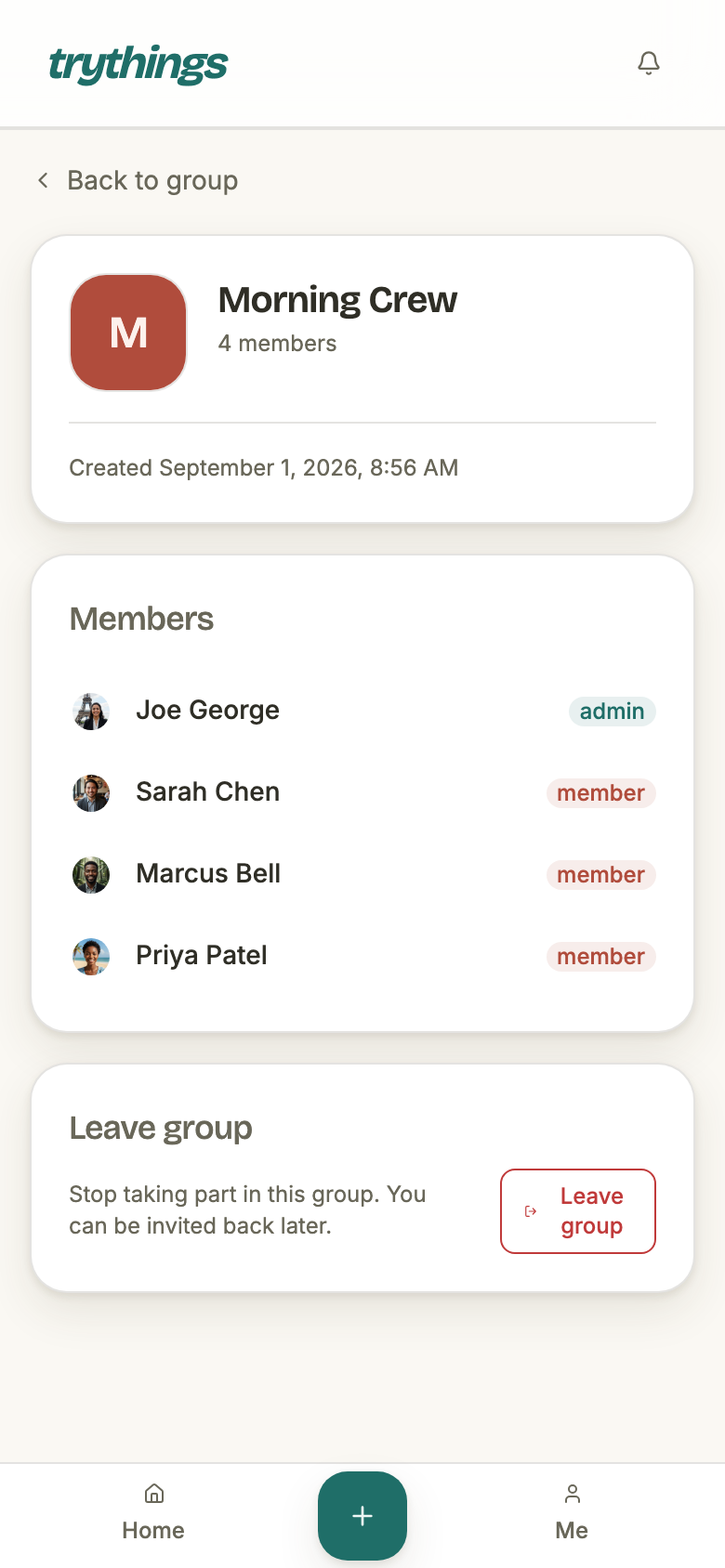
Same route, same page, two very different pages. An admin gets a pencil and three extra cards; a member gets the identity card, the roster, and the way out.
Changing who is an admin
An admin's menu on a member's row offers two things: make them an admin, or remove them from the group. On an admin's row it offers one — take the role back — and calls it Step down as admin when the row is your own.

The rule that outranks everything
A group with nobody in it vanishes from every list and can never be reached again. A group whose last admin has gone is reachable but frozen — nobody can rename it, admit a request, remove anyone or start a season. Both leave a group only an operator can rescue, so both are refused at the same place, with the roster locked while the answer is worked out.
- Leaving as the only member
- Refused: “Removing the last member would leave the group empty; delete the group instead.”
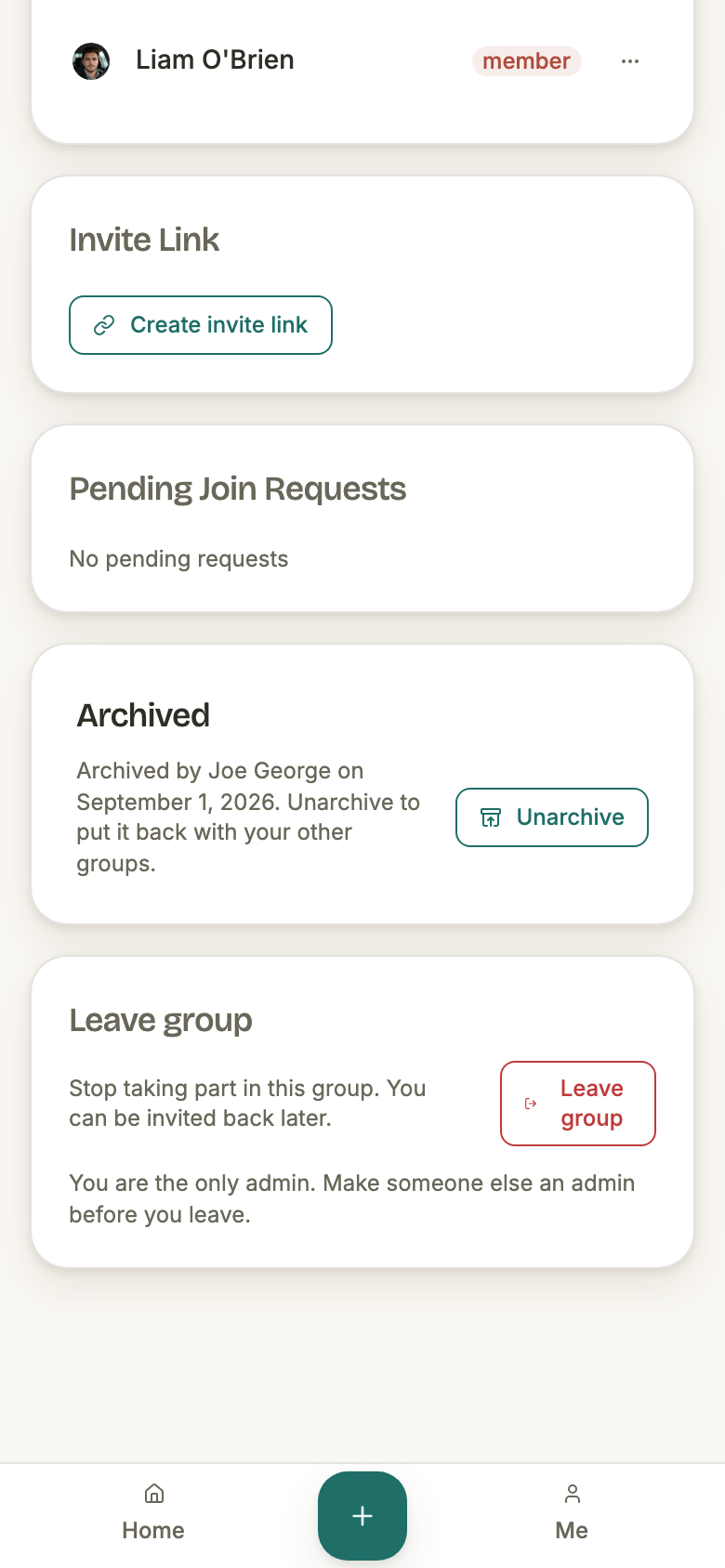
- Leaving as the only admin
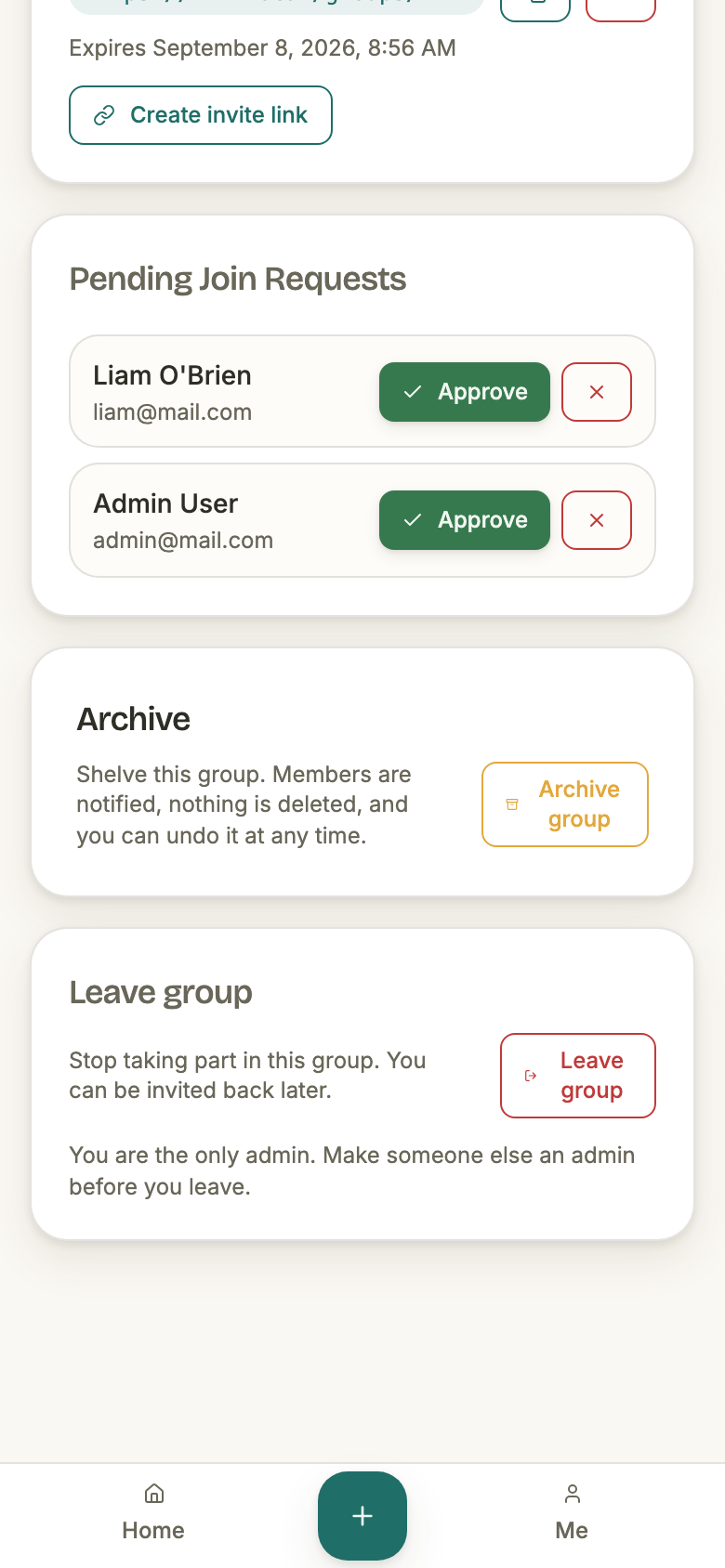
- Refused: “Removing the last admin would leave the group without an admin; promote another member to admin first.”
- Demoting the only admin
- Refused the same way — a demotion drops the admin count exactly as a departure does.
- Removing anyone the group survives without
- Allowed. The rule is about what is left standing, not about who is asking.
- Two admins stepping down at once
- One succeeds. The roster is locked for the length of each check, so the second is answered against the first’s result rather than against a stale count.
The app says so before you press rather than after. The leave card carries the reason and its remedy where the button is:
Leaving, and being removed
The two doors out of a group differ in who is allowed to open them — you, or an admin — and in one consequence. The departure itself is the same either way: the same guard, the same closed-out stint, the same residue swept. What differs is the commitment you were holding when it happened.
- Your place on the roster
- Gone at once. The membership is closed out as a finished stint rather than left lying in the table the app reads permissions from.
- Commitments you still owe — if you leave
- Ended, but only in seasons that have not finished yet. A commitment in a season that already ended stands as it was.
- Commitments you still owe — if you are removed
- Left running. Removal ends the membership and sweeps the residue; it does not touch the commitment, so one held in a season that is still going outlives the removal. Leaving is the only door that closes it.
- Proofs you posted
- They stay in the group’s timeline, photos and all, for the people still reading it. The timeline records what was posted; the roster records who is here now, and the two are allowed to disagree.
- Tags naming you
- They stay. A tag is a mention, and leaving does not unsay it.
- Your bell rows for that group
- Deleted. They were news from inside a room you have left.
- Invite links you had minted
- Every one still live is revoked at the moment you leave; one you had already revoked keeps the moment it was revoked at. The record of who came in through which link is kept either way.
- Coming back
- Through a fresh invite, like anyone else. If the season is still running you can pick your old commitment back up rather than starting over.
Archiving
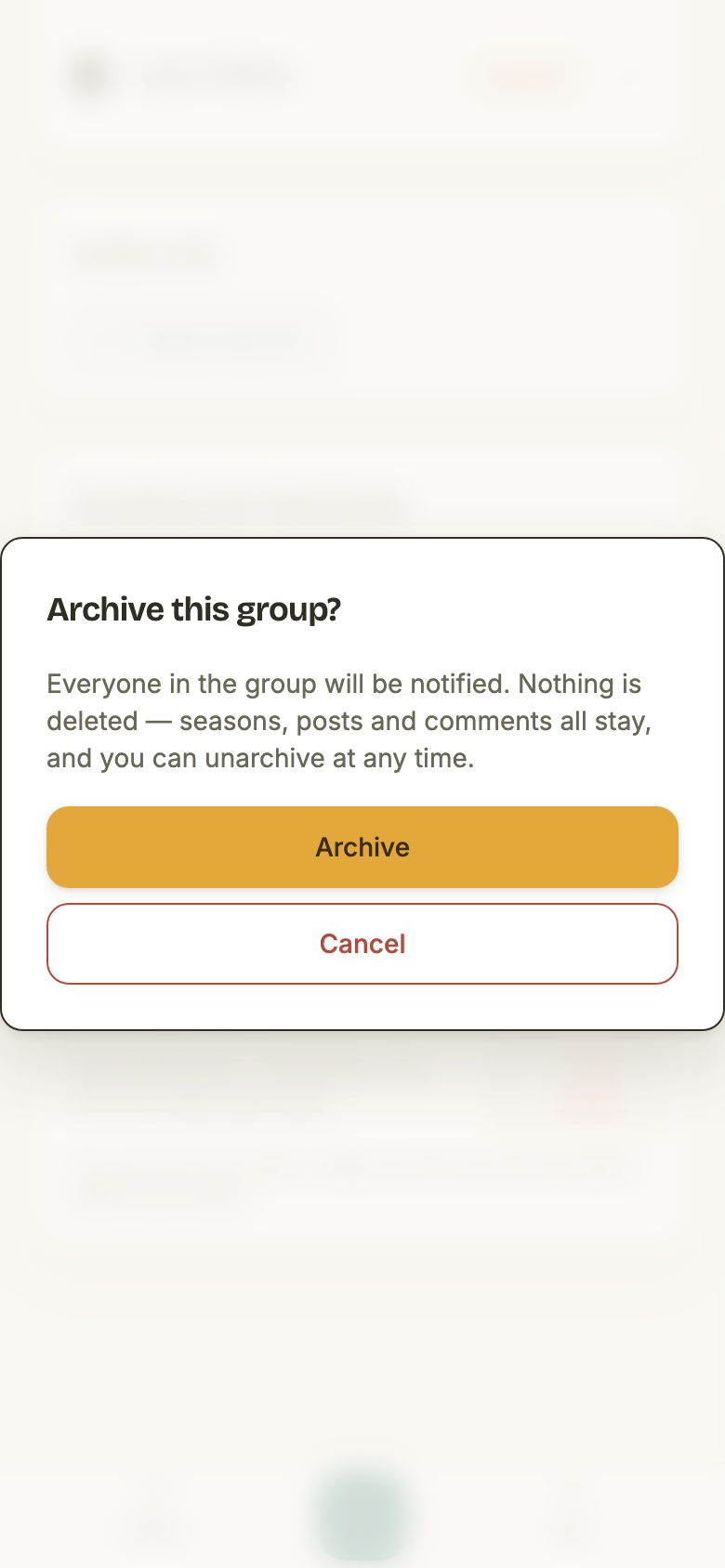
Archiving is the group's one consequential setting, and it is deliberately dull: it writes down that the group is archived and who did it, and that is the whole of the change. Nothing is deleted, nothing is hidden, nothing is frozen. Seasons keep running, proofs keep posting, comments and likes keep landing, invites and join requests keep working.
- Who can
- Admins only, both ways. Unarchiving is not restricted to the admin who archived it.
- What changes
- One stamp on the group: when, and by whom. There is no cascade and no access change.
- What actually behaves differently
- One thing: the nightly “you have a day open” reminder stops for that group. It is the only notification that reaches a member who did not act, so it is the only one archiving silences — every other still fires as before.
- Who is told
- Every member of the group except the admin who pressed it, in the same write as the stamp itself. Nobody is left unaware of an archive that happened.
- How they are told
- The bell, and only the bell. Archiving sends no email and no push, and unarchiving sends nothing at all.
- What the bell says
- “Sarah Chen archived Morning Crew” — or “Morning Crew was archived”, once the admin who did it has deleted their account and there is no longer a name to give.
- Two admins at once
- One stamp and one refusal. The loser is told the group is already archived rather than quietly overwriting who archived it.
- Unarchiving a live group
- Refused — “This group is not archived”. A no-op would hide which of the two verbs you actually got.
On the group itself the archive is a standing notice above a page that still works, and for an admin it carries the way back. A member sees the same line without the button.
There is no delete
Nothing in the app deletes a group. Archiving is the only group-level verb the product offers, and it is the reversible one; the destructive path exists in the code as an operator's tool, reachable only by someone with a database in front of them, and it has no button and no way back for the people who were in the group. That is why nothing offers it.
The way to end your own part in a group is to leave it — which needs someone else to be holding the room open behind you.