Groups & seasons
Commitments
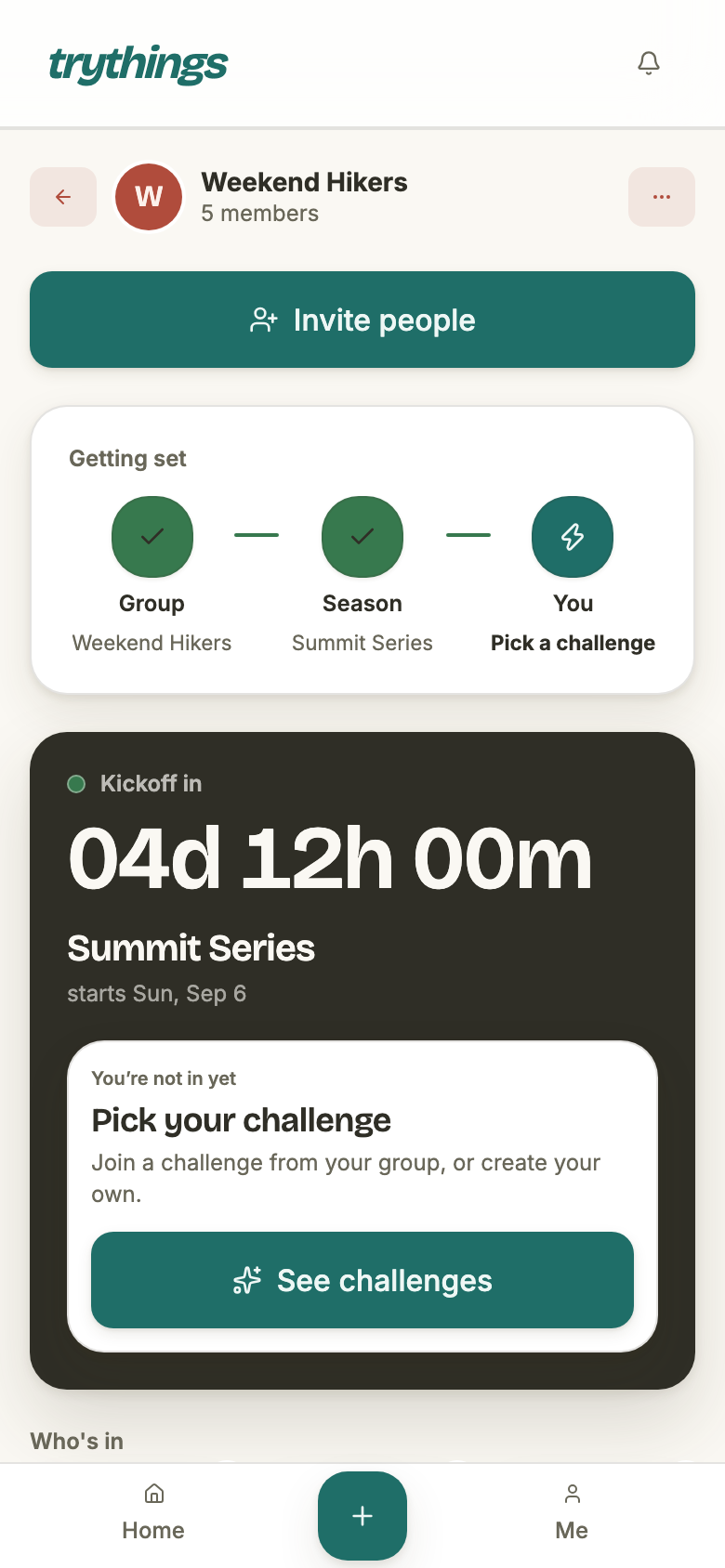
A commitment is one member's pledge for one season: a challenge to show up for, and a cadence saying how often. The cadence is the interesting half — it is what turns “three times a week” into the specific days the app will hold you to.
At a glance
Every member of a season commits once, and holds at most one commitment in it. A commitment carries four things:
- A challenge — what you are showing up for. One line, or a short checklist of up to twelve items.
- A cadence — how often. Either specific weekdays, or a number of days a week with no days named.
- A start day of your own — the day your commitment begins counting, which is not always the season's.
- A status — active, or withdrawn. There is no third.
Challenges are shared, not private. Committing is usually joining someone else's — the creator's cadence comes with it unless you say otherwise.
Two kinds of cadence, and no third
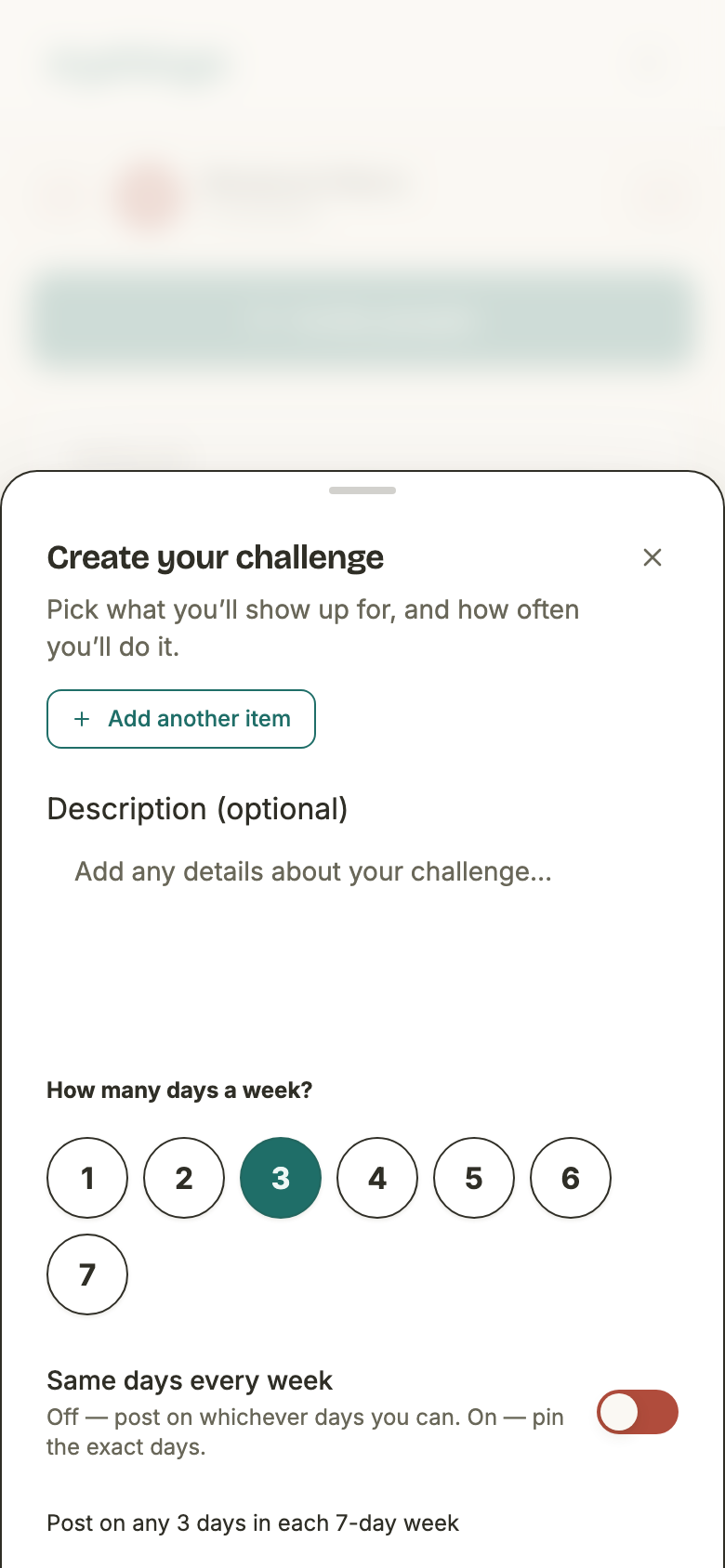
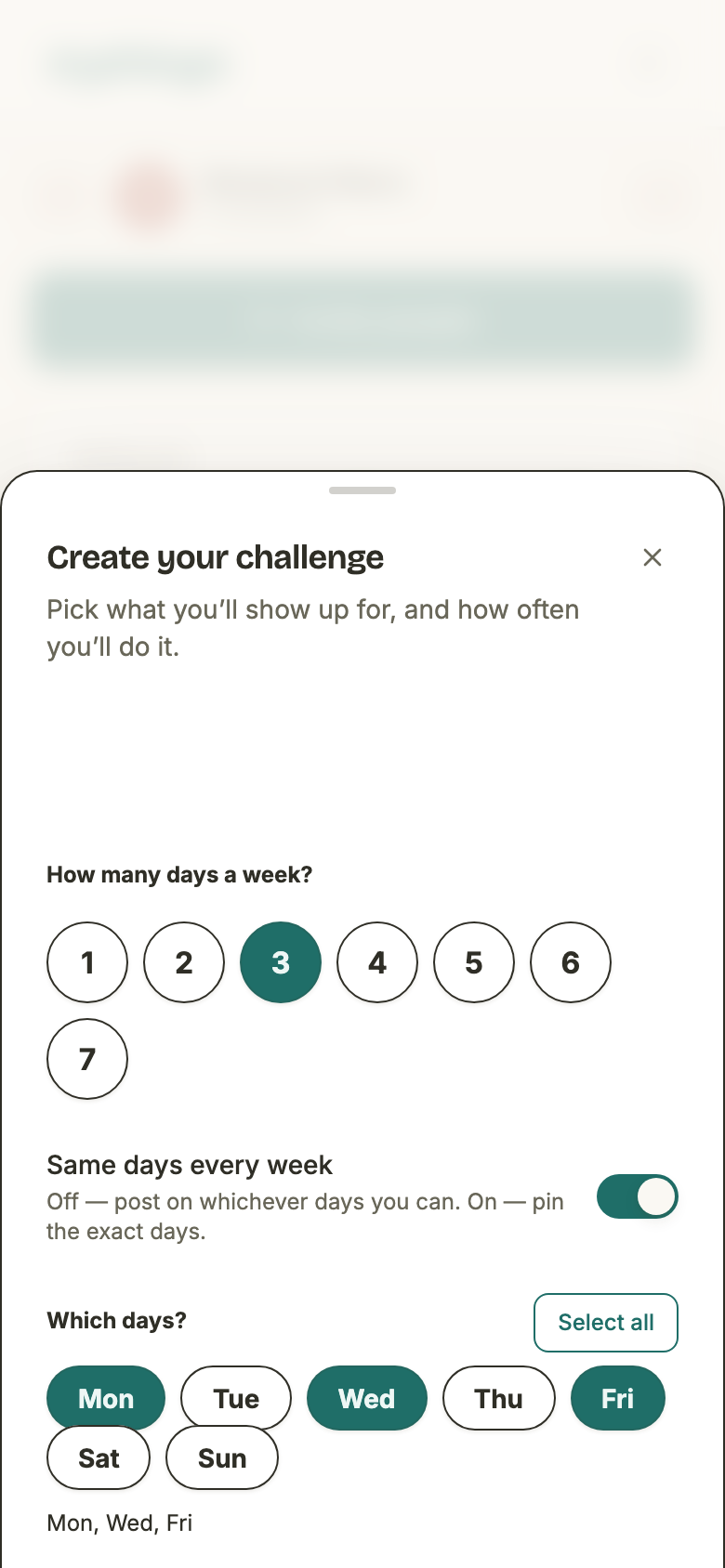
The picker asks one question first — how many days a week? — and then offers to pin which ones. That switch is the whole difference between the two kinds, and they are stored, expanded and graded by different machinery.
- Pinned days
- Specific weekdays. Stored as a weekly RRULE — Mon, Wed and Fri become FREQ=WEEKLY;BYDAY=MO,WE,FR. Obligation is per day: which days were due, and which carry proof.
- A quota
- N days a week, any days. Stored as TIMES_PER_WEEK:3, which is deliberately not RRULE-shaped. Obligation is per week: how many posts landed inside a 7-day block.
- Allowed frequencies
- Daily, weekly and monthly, and nothing else. An hourly rule expanded across a season would materialise millions of dates, so the frequencies that could are refused at the door rather than trusted not to be sent.
- Pinning is a refinement
- A new commitment starts as “3 days a week” with no days pinned. Pinning more days than the number covers raises the number; unpinning never lowers it, so the mismatch surfaces instead of silently downgrading the pledge.
The window your cadence is expanded over
A cadence on its own owes nothing — it needs a stretch of days to be laid over. That stretch is your window, and only one of its two ends belongs to the season:
- The start is personal. Commit in the lobby and it is the season's own start day. Commit after kickoff and it is the day you committed — so days that passed before you arrived are not due days for you at all.
- The end is shared. Every commitment ends when its season does.
Two members of one season can therefore owe different numbers of days for the same cadence, which is the point.
A worked example: from a cadence to the days
Take a season running 1–30 September 2026, and a member who pledges Mon/Wed/Fri. The rule is anchored at the first day of their window and expanded to the last, both ends included.
- Cadence
- Mon, Wed, Fri — stored as FREQ=WEEKLY;BYDAY=MO,WE,FR
- Committed
- In the lobby, so the window starts on the season's own start day: Tue 1 September.
- Window
- 1 Sep 2026 → 30 Sep 2026
- Days owed (13)
- Sep 2, 4, 7, 9, 11, 14, 16, 18, 21, 23, 25, 28, 30
The 1st is a Tuesday, so nothing is owed on the day the season opens — the first due day is Wednesday the 2nd. Now take a second member who joins the same season on Friday 18 September, with the same cadence:
- Cadence
- The same — Mon, Wed, Fri
- Committed
- Mid-season, so the window starts on the day they committed: Fri 18 September.
- Window
- 18 Sep 2026 → 30 Sep 2026
- Days owed (6)
- Sep 18, 21, 23, 25, 28, 30
Same cadence, same season, six days against thirteen. The 18th itself counts — the window includes the day you joined, and it happens to be a Friday.
A quota owes weeks, not days
A quota commitment has no due days. Asking it which days you owe returns nothing at all, on purpose — the answer would be “any of them”, and treating every day as due would mark a member down for six days out of seven.
Instead it is measured over blocks: rolling 7-day windows anchored on the season's start day. Never calendar weeks — a season starting on a Wednesday is graded Wednesday to Tuesday — and never per member, so two people who joined weeks apart are still judged over the same boundaries and their weeks line up on the board.
Two flags decide whether a block counts, and neither one prorates:
- Closed — the block is over. The one in progress is never graded, because nothing is decided until it ends.
- Graded — the block lies wholly inside your window. A block you were only present for part of owes nothing; posts you made in it still count.
Same September season, a quota of three a week, and the same two members:
- Blocks
- Sep 1–7, 8–14, 15–21, 22–28, then 29 Sep – 5 Oct
- Lobby member
- The first four blocks are graded. The last is not — it runs past the season's end, so it is short, and short blocks are exempt.
- Joined Sep 18
- Blocks 1 and 2 are not theirs at all. Sep 15–21 is shown but exempt — they arrived mid-block. Only Sep 22–28 is graded.
- Falling behind
- A block is “behind” only once the shortfall no longer fits in the days left, even at one post a day. Two owed with two days left is already behind: there is no room to miss one.
Shared challenges: two members, one thing
Committing usually starts by joining a challenge someone in the season already made. The picker lists every one of them, deduped, with the member who created it and their cadence beside it. A challenge created by a group admin is pinned to the top.
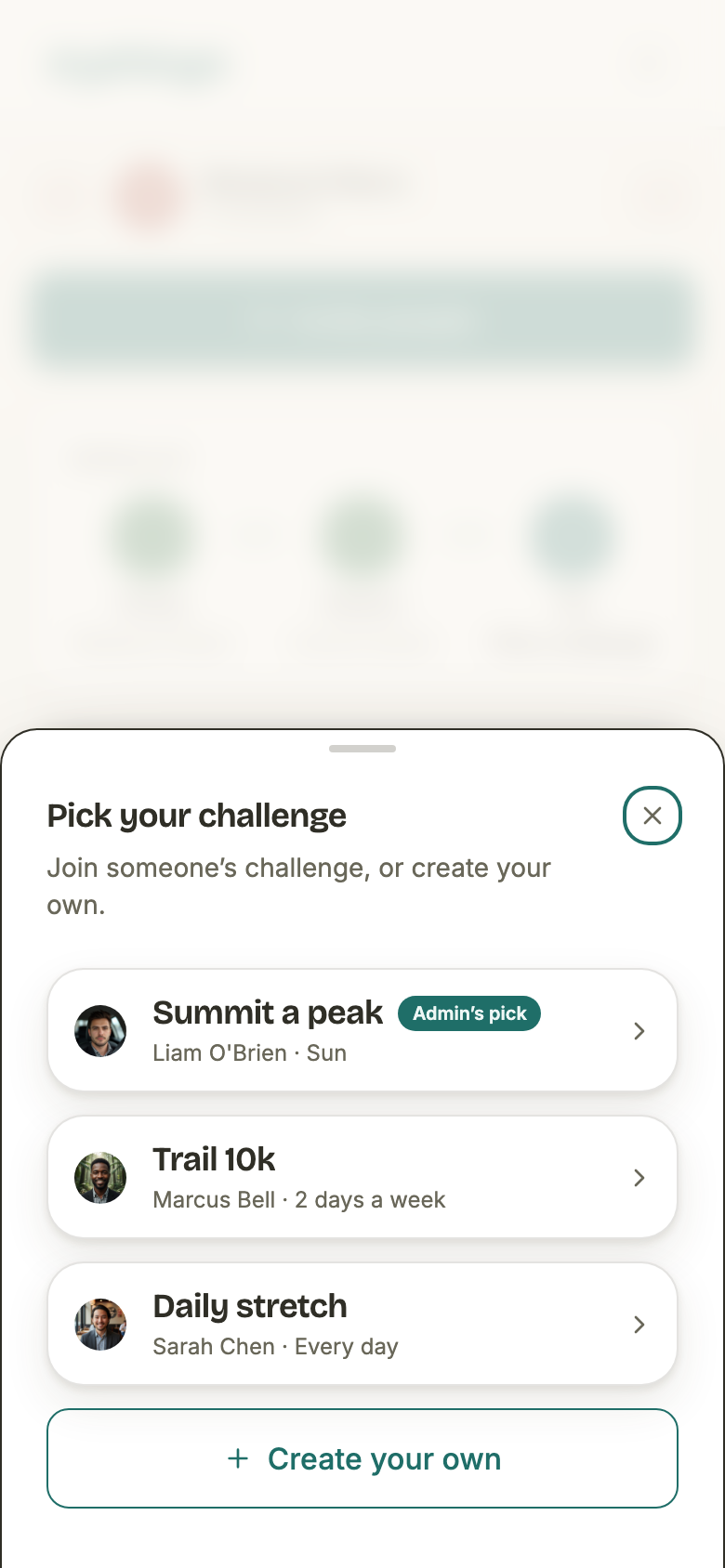
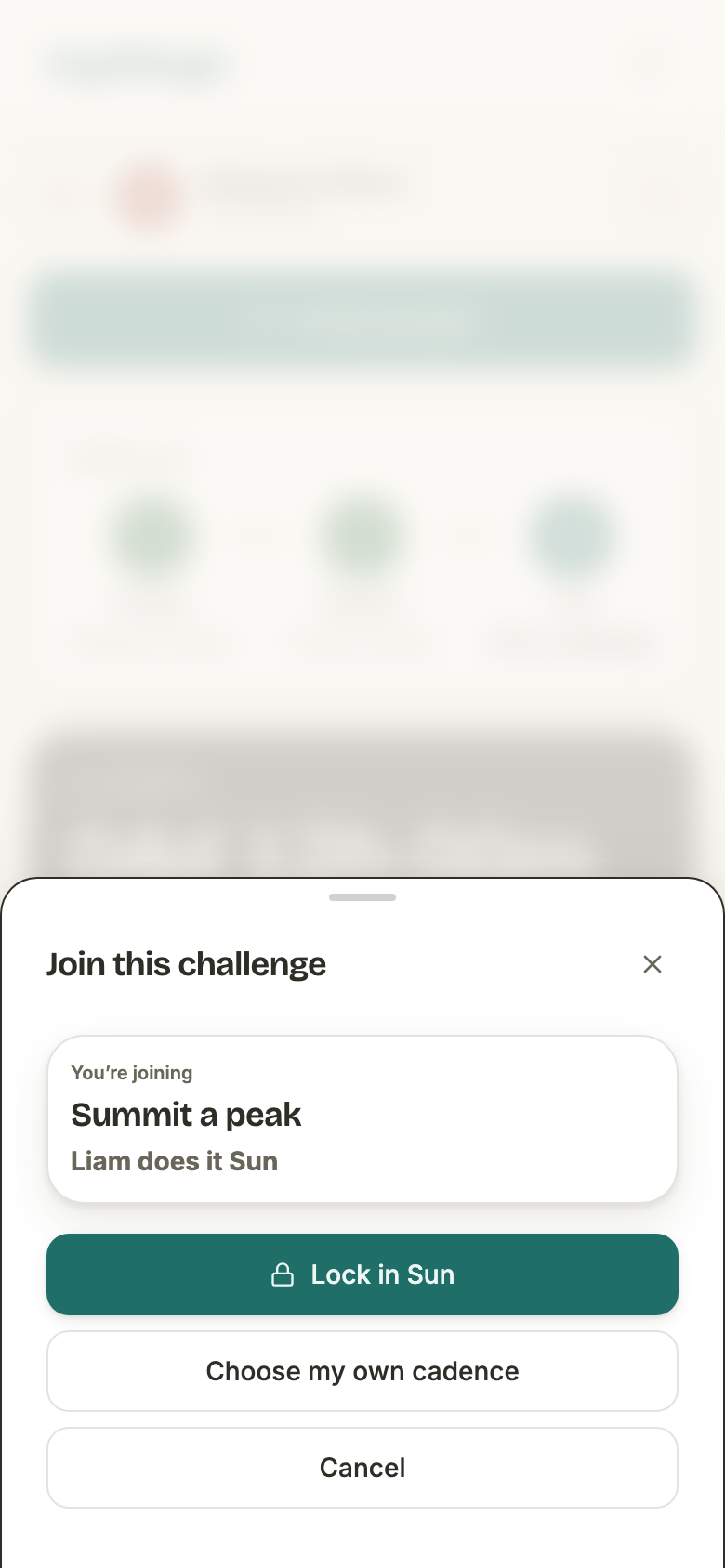
Joining is one tap, and the creator's cadence is the offer. It is inherited from the earliest commitment on that challenge — the creator's, since they commit at the moment they make it. Choosing your own cadence instead is an explicit second step, and what you pick is taken at face value: nothing is compared against the creator's, and nobody has to match.
- What is shared
- The challenge itself — its title, its description and its checklist. Two members on one challenge read the same words.
- What is never shared
- The cadence, the start day, the status and every tick. Those live on your own commitment, so sharing a challenge never couples two members' obligations.
- Editing a shared challenge
- Changing the wording while someone else is on it forks a private copy for you and repoints your commitment at it. Everyone else keeps the challenge they joined, untouched.
- Editing only your cadence
- Never forks. The cadence was already yours alone.
- Sole owner
- If nobody else has joined, an edit changes the challenge in place — there is nothing to protect.
The optional checklist
A challenge can be a single line — “Morning workout” — or a checklist of up to twelve items that you tick off through the day. Storage is the same shape either way, which is why one can become the other by editing:
- One item — the item is the title, and no checklist is stored.
- Several — the title is the name you gave it, or, if you skipped the name, the first item with a count of the rest appended: “Read 10 pages · +2 more”.
Ticks are per day and per member: they hang off your own commitment, so two members on one shared checklist tick independently. A tick is only accepted on a day your cadence actually owes, while the season is running — and a quota, owing no particular day, accepts one on any day inside your window.
When the door closes
Committing and changing a commitment close at different moments, and the season's mode moves only one of them.
- Committing — regular season
- Open for the whole run. The countdown on the lobby is a heads-up, not a deadline, and the lobby says so.
- Committing — locked-in season
- The lobby is the only window. Once the season starts, the roster is closed.
- Committing — ended season
- Refused in both modes, and “the season has ended” is answered before the mode: there is nothing left to commit to.
- Editing your commitment
- Lobby only, in both modes. Once you have started owing days, rewriting the cadence or the challenge behind you would rewrite what you were already judged against.
Withdrawing, resuming, starting over
You can withdraw at any point up to the season's end, and the way back depends on which one you ask for. The two are deliberately different:
- Withdraw
- Flips your commitment to withdrawn. Nothing is deleted, and it is allowed in the lobby and mid-season alike — it is the one verb the modes never disagree about.
- Take it back up
- The same commitment, flipped back to active, keeping its record. The days you missed while away stay missed: your start day does not move, so nothing you failed to prove is rewritten.
- Commit again from scratch
- Re-uses the same row, but re-anchored to today and pointed at whatever you picked. The days you missed now sit before your window and are not due days at all — a fresh start, not an amnesty.
- Either way
- One row per member per season, always. The board keeps showing one line for you, and a withdrawal is never a second commitment.
Taking a commitment back up is not treated as joining, so a locked-in season allows it after kickoff: that roster closes to members who were never on it, and you were.
What the app refuses
- A second commitment in one season — unless the one you hold is withdrawn, in which case that row is the one you commit into.
- A cadence that owes nothing in the window you would actually be judged over.
- A frequency outside daily, weekly and monthly, or a cadence string the parser does not recognise at all. There is no permissive fallback: an unknown string fails loudly rather than being graded as something it is not.
- Proof, or a tick, on a day you do not owe — a well-formed day that is not yours to fill.
- Joining a challenge with no commitment behind it to inherit a cadence from.
- A challenge title over 255 characters, a description over 2,000, or more than twelve checklist items.